Skip to content

automation

6 posts with the tag “automation”

Top 5 AI Tools for Automated Customer Responses

Managing customer inquiries can be time-consuming, especially for print-on-demand businesses. AI tools can automate repetitive tasks, speed up response times, and let teams focus on more complex issues. Here’s a quick look at five AI tools that can help:

  • Zendesk AI: Handles inquiries across channels, prioritizes urgent requests, and reduces response times.
  • Freshdesk AI: Automates routine tasks, improving efficiency and allowing focus on complex issues.
  • Tidio: Offers 24/7 multilingual chat support, smart order tracking, and analytics for improving customer interactions.
  • Intercom: Provides real-time updates, personalized replies, and integrates with e-commerce platforms.
  • Print2Social: Focused on print-on-demand, it automates social media posts with AI-generated visuals and schedules campaigns.

Feature

Zendesk AI

Freshdesk AI

Tidio

Intercom

Print2Social

Core Functionality

Customer service

Multi-channel support

Chat automation

Messaging platform

Social media for POD

Visual Content

Basic

Basic

Limited

Standard

Lifestyle images/videos

Automation Level

Medium

Medium

High

High

Full catalog automation

Platform Integration

Email, chat

Email, chat, social

Website chat

Multiple channels

POD + social media

Performance Analytics

Advanced

Advanced

Basic

Advanced

Social media metrics

These tools vary in focus, from general customer service to print-on-demand-specific solutions. Choose based on your business needs, integration options, and desired automation level.

Use These 2 AI Tools to Automate 80% of Your Customer …

Section titled “Use These 2 AI Tools to Automate 80% of Your Customer …”

Zendesk AI streamlines customer support by instantly handling inquiries across various communication channels. It efficiently manages common questions about order status, shipping details, and product information. With its smart routing system, urgent print-on-demand requests are prioritized, while routine queries are resolved automatically. This allows support teams to dedicate their time to more complex tasks, like custom design consultations. The result? Faster response times - cutting them down from hours to just seconds - and happier customers.

Now, let’s take a look at another AI tool transforming customer service automation.

Freshdesk AI is designed to simplify customer support for print-on-demand businesses by automating routine tasks. This tool helps businesses efficiently manage a high volume of customer inquiries.

By handling common questions automatically, Freshdesk AI allows support teams to focus on more complicated issues. It also shortens response times and improves overall service efficiency. With its smart automation features, businesses can offer reliable customer service while growing their operations.

Next, we’ll take a look at the following tool in our lineup.
Tidio

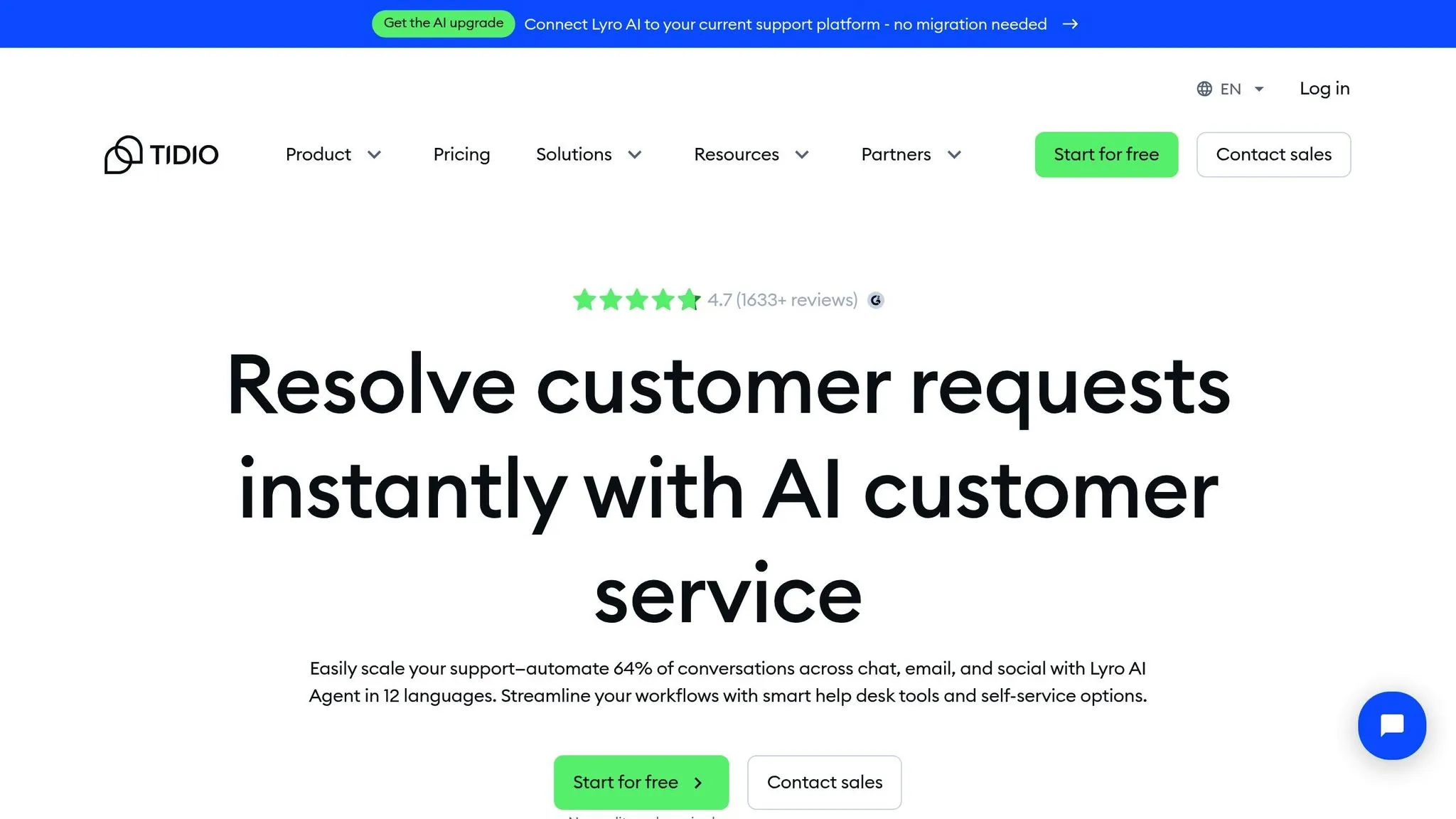
Tidio is an AI-powered support tool designed for print-on-demand businesses, offering real-time communication to handle customer inquiries efficiently and improve overall satisfaction.

The AI chatbot manages common questions like order status, shipping details, and customization options, providing 24/7 support without requiring constant manual input. It also features smart order tracking, which automatically retrieves and shares order updates when customers ask, cutting down on manual tasks.

The chatbot can handle multiple conversations at once, ensuring quick responses even during busy periods. You can customize messages for situations like order confirmations, shipping delays, or specific product details, and the AI improves its accuracy over time.

For businesses with a global reach, Tidio’s multilingual support is a game-changer. The AI can detect and respond in different languages, making it easier to connect with customers worldwide - perfect for companies selling custom products internationally.

Tidio also offers an analytics dashboard that helps you understand customer interactions. You can monitor common questions, response times, and satisfaction levels, giving you the data needed to improve your support strategies.

Additionally, Tidio includes proactive engagement tools to assist hesitant shoppers, helping turn potential customers into buyers.

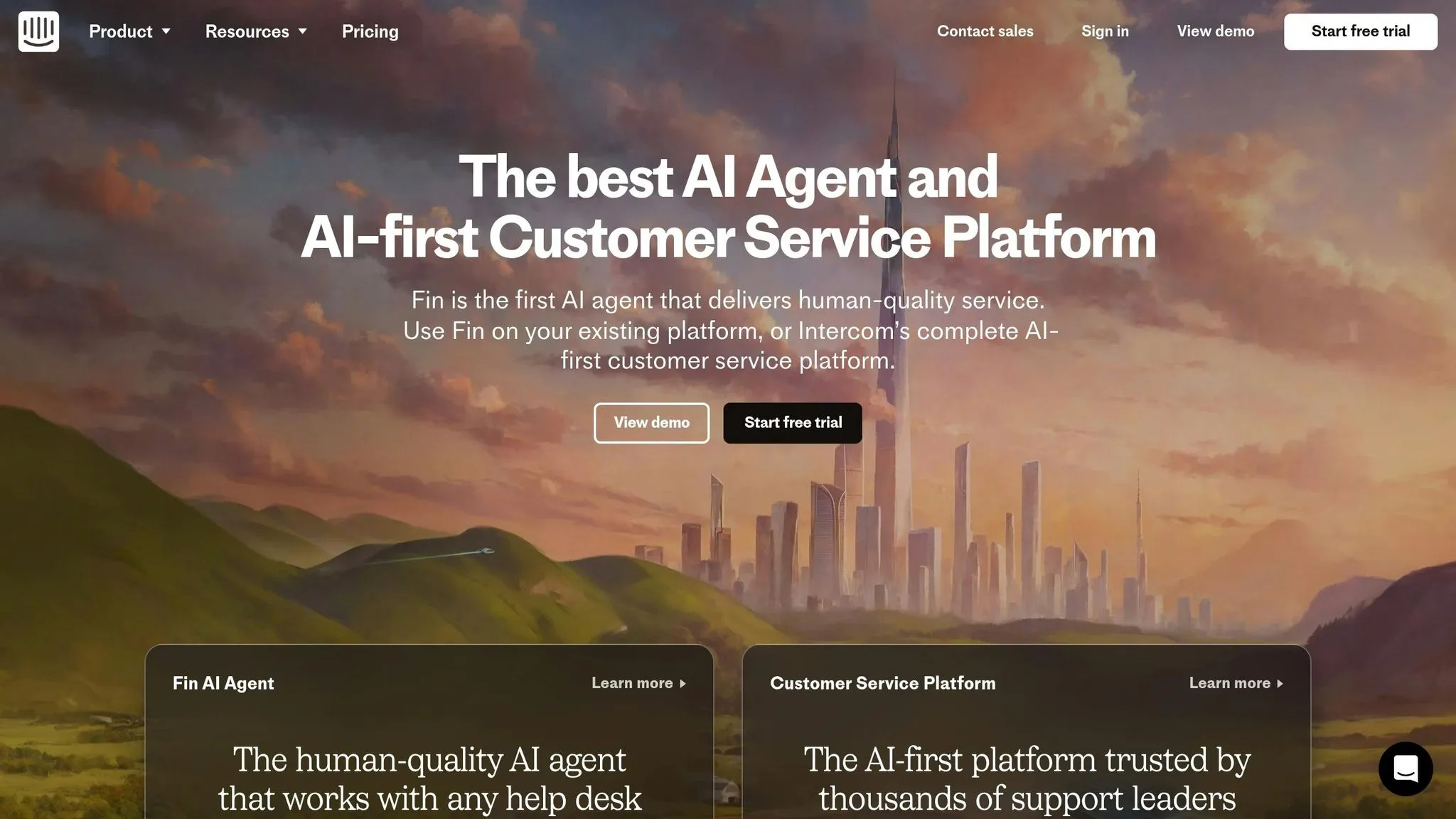
Intercom

Intercom’s AI platform simplifies customer service for print-on-demand businesses by automating common tasks. Its Resolution Bot efficiently handles questions about order status, customization, and shipping, making it easier to manage workflows from the start.

The bot retrieves order details and provides real-time updates, helping reduce response times - especially during busy seasons. It also delivers personalized replies by tracking the context of previous conversations, ensuring customers feel heard and understood.

Intercom connects seamlessly with major e-commerce platforms, pulling in order details, tracking numbers, and product specifications. It automatically syncs this data with your catalog, so customers always get up-to-date information.

The platform also offers advanced analytics, helping you monitor key metrics like first response time, resolution rates, and customer satisfaction. These insights can guide improvements in your support process.

Even with high volumes of inquiries, Intercom’s scalable system maintains a personal touch, making it a great tool for businesses that prioritize efficient, customer-focused service.
Print2Social

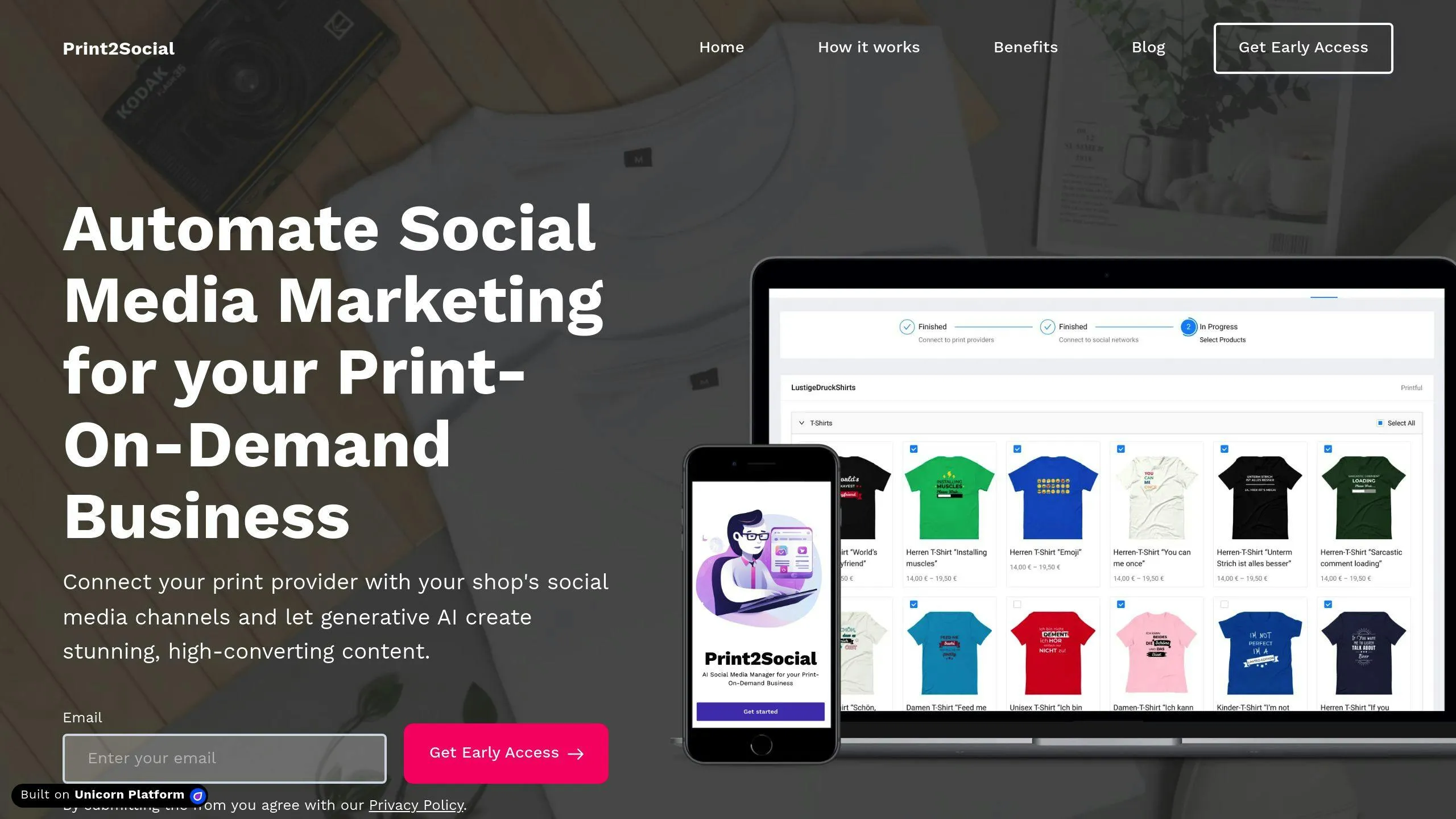
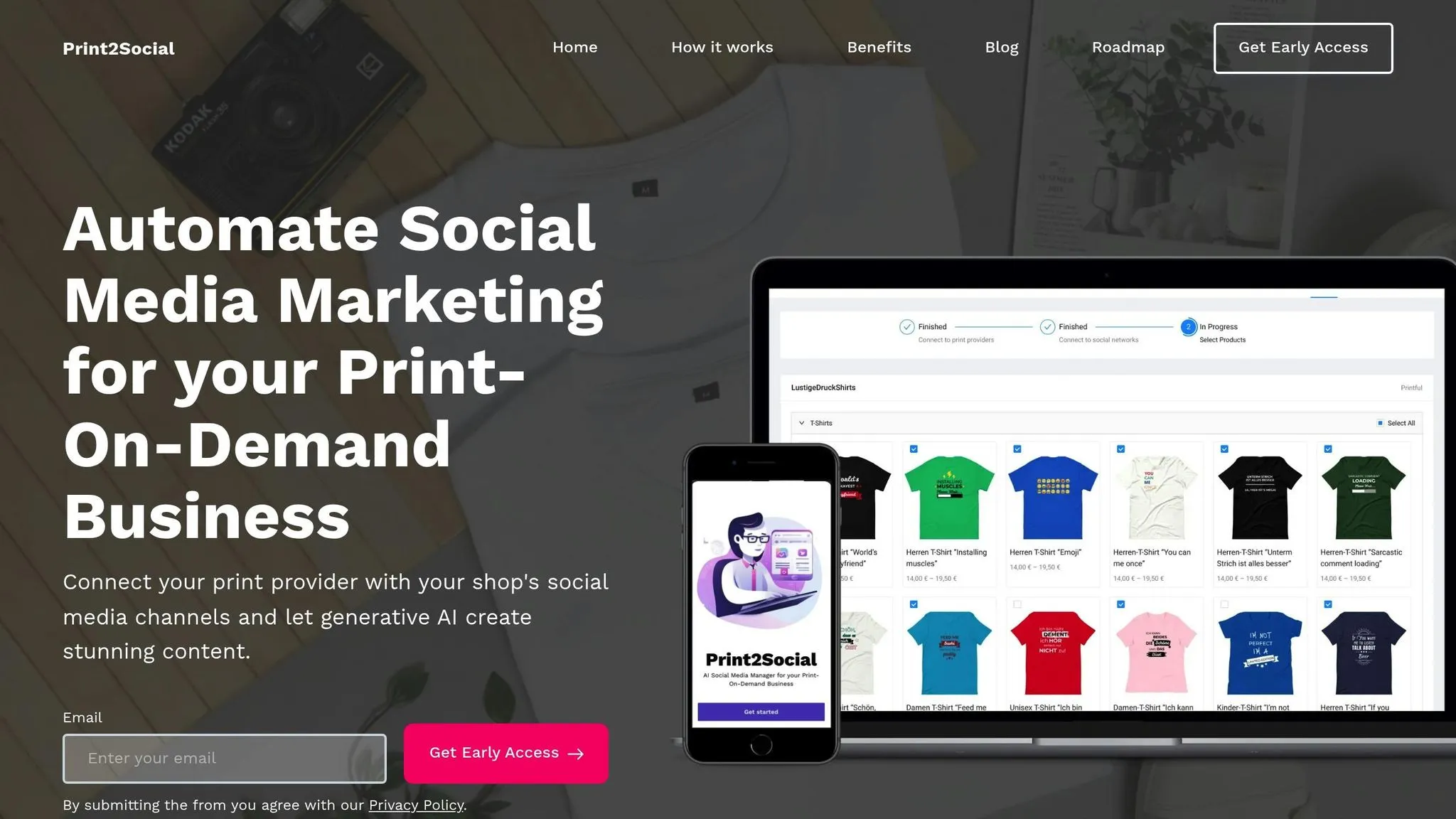
Print2Social is an AI-driven tool designed specifically for print-on-demand businesses to simplify social media management and customer response. It connects directly with popular print-on-demand providers, automatically pulling store and product data. This integration allows it to create social posts tailored to your products, showcasing your designs with minimal effort.

The platform uses AI to analyze your product catalog and generate posts featuring images and videos. It even auto-schedules these posts into a social media calendar, ensuring your promotions stay consistent and on track.

Through its centralized dashboard, Print2Social offers a clear overview of your connected print-on-demand stores and scheduled content. Key features include:

  • Performance Tracking: View engagement metrics and measure the success of your campaigns.
  • Content Customization: Adjust AI-generated posts to match your brand’s style and tone.
  • Content Scheduling: Organize and plan your social media posts for optimal timing and impact.

This tool helps streamline social media efforts, making it easier for businesses to maintain a strong online presence.

Here’s a breakdown of the key features and capabilities of these AI-powered customer response tools to help you decide which one suits your needs:

Feature

Zendesk AI

Freshdesk AI

Tidio

Intercom

Print2Social

Core Functionality

General customer service automation

Multi-channel support automation

Website chat automation

Customer messaging platform

Social automation for print-on-demand (POD) businesses

Content Generation

Text responses

Text responses

Text responses

Text and basic images

12 images + 8 videos per product

Post Generation

N/A

N/A

N/A

Basic posts

20 unique posts per product

Visual Content

Basic

Basic

Limited

Standard

Lifestyle shots and product videos

Automation Level

Medium

Medium

High

High

Full catalog automation

Industry Focus

General

General

General

General

Print-on-demand specific

Platform Integration

Email, chat

Email, chat, social

Website chat

Multiple channels

POD providers + social media

Scheduling Features

Basic

Standard

Limited

Advanced

Automated calendar

Content Customization

Manual

Manual

Template-based

Template-based

AI-powered with manual override

Performance Analytics

Advanced

Advanced

Basic

Advanced

Social media metrics

The table highlights why Print2Social is tailored for print-on-demand businesses. It stands out by automatically generating high-quality images and videos, including lifestyle shots and product demos, which enhance social media engagement. Additionally, it offers full catalog automation, streamlining content creation and scheduling for any number of products. Its seamless integration with POD providers ensures accurate and efficient social media promotion, making it a powerful tool for businesses in this niche.

When selecting AI tools, look for those that connect effortlessly with your existing systems, create both text and visual content, and grow alongside your business needs. Our research shows that while general customer service AI tools handle basic text replies, specialized options like Print2Social go further by combining automated responses with visual content creation.

Focus on these three factors: integration, content creation, and scalability. To put these priorities into action, follow these steps:

  • Platform Integration: Link your print-on-demand stores and social media accounts to maintain consistent communication.
  • Content Automation: Use AI to generate templates and visuals that align with your brand identity.
  • Performance Analytics: Track metrics like response time, customer satisfaction, and social media engagement to continuously improve your approach.

How can I choose the right AI tool to automate customer responses for my print-on-demand business?

Section titled “How can I choose the right AI tool to automate customer responses for my print-on-demand business?”

To choose the best AI tool for your print-on-demand business, start by identifying your specific needs. Look for tools that offer features like automated content creation, product mockups, and social media scheduling. Consider whether the tool integrates seamlessly with your store and fulfillment providers, as well as its ability to generate engaging content such as promotional posts, lifestyle images, and short videos.

Evaluate how well the tool aligns with your marketing goals, such as streamlining social media management or enhancing customer engagement. Prioritize options that save you time while maintaining a professional and consistent brand presence.

What are the key benefits of using AI tools to automate customer service tasks?

Section titled “What are the key benefits of using AI tools to automate customer service tasks?”

AI tools designed for automating customer service tasks offer several key advantages that can significantly improve efficiency and customer satisfaction:

  • Faster Response Times: AI-powered systems can handle customer inquiries instantly, reducing wait times and ensuring customers receive prompt assistance.
  • 24/7 Availability: These tools work around the clock, providing support even outside of regular business hours.
  • Scalability: AI tools can manage multiple customer interactions simultaneously, making them ideal for businesses experiencing high volumes of inquiries.

By leveraging AI, businesses can streamline their operations while maintaining high-quality service, freeing up human agents to focus on more complex or personalized customer needs.

How does Tidio’s multilingual support improve customer interactions for global businesses?

Section titled “How does Tidio’s multilingual support improve customer interactions for global businesses?”

Tidio’s multilingual support allows businesses to communicate with customers in their preferred language, breaking down language barriers and enhancing the overall customer experience. This feature is especially valuable for print-on-demand businesses with an international customer base, as it ensures clear and effective communication across different regions.

By offering real-time translations and support for multiple languages, Tidio helps businesses build trust and foster stronger relationships with their global audience, ultimately leading to increased customer satisfaction and loyalty.
How AI Tracks Social Media Content for Print-on-Demand

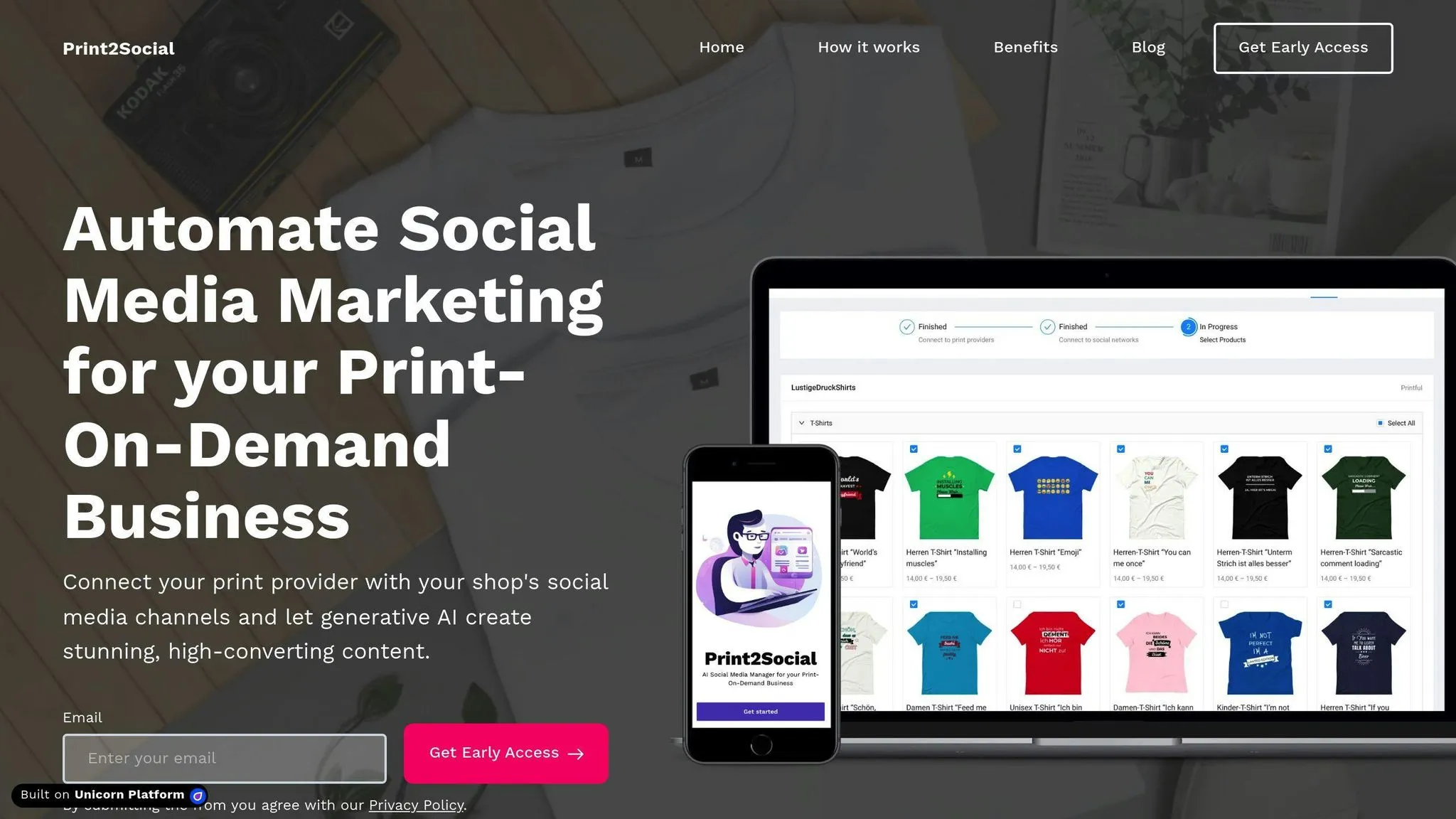
AI tools like Print2Social make managing social media for print-on-demand businesses easier by automating content creation, scheduling, and performance tracking. Here’s how it works:

  • Content Creation: For each product, AI generates 12 images (e.g., mockups) and 8 videos, ready for social media.
  • Scheduling: Posts are automatically scheduled for peak engagement times, saving you time.
  • Performance Tracking: Tracks key metrics like engagement rate, reach, impressions, click-through rate, and conversions in real time.
  • Insights: Provides actionable data to refine your strategy and improve results.

Metricool

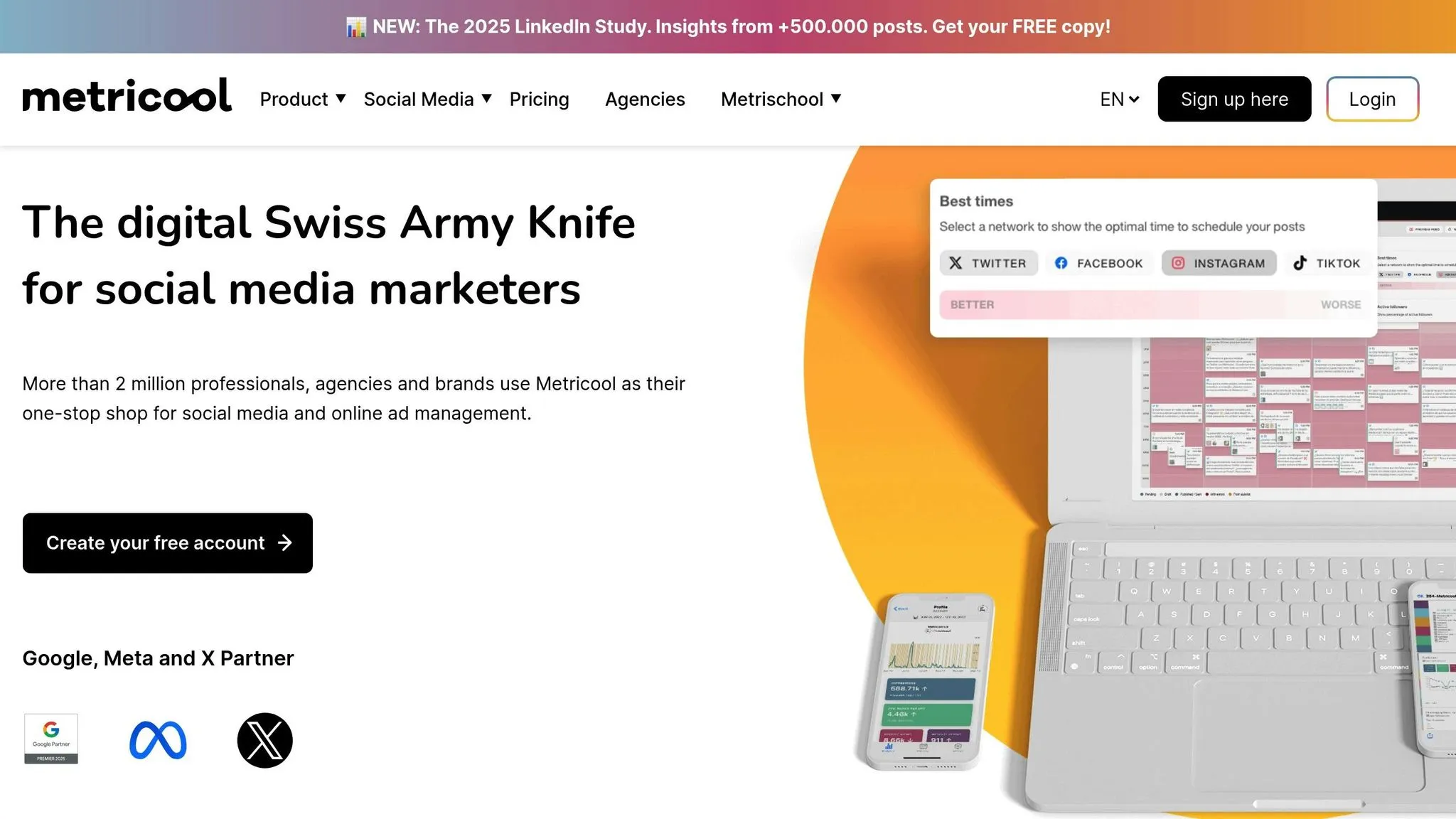
AI tools like Print2Social streamline social media marketing for print-on-demand businesses by handling tasks like content creation, scheduling, and distribution automatically. Once you link your store and social accounts, Print2Social generates and schedules posts for you. It also tracks performance metrics - such as likes, comments, shares, reach, and engagement rate - in real time. This setup allows you to focus on strategy while machine learning works to refine your social media efforts continuously.

Let’s take a closer look at the specific metrics AI tracks to gauge social media performance.

Print2Social

Set up Print2Social in just three steps to streamline your content creation and scheduling process.

  • Connect your print-on-demand provider account to sync your product catalog.
  • Link your social media accounts.
  • Choose specific products or categories you want to promote.

Print2Social creates 12 images (including lifestyle photos and detailed mockups) and 8 short videos for each product. These are then combined into ready-to-review social media posts.

  • Use the content calendar to preview and edit posts.
  • Customize posting times and frequency to match your strategy.
  • Compare different content options and pick the best versions.

Once your posts are scheduled, it’s time to monitor key performance indicators (KPIs) to fine-tune your strategy and boost results.

Keep an eye on these essential metrics to understand how your content is performing:

  • Engagement rate: The ratio of interactions (likes, comments, shares) to impressions.
  • Reach: The number of unique users who viewed your post.
  • Impressions: The total number of times your post was viewed.
  • Click-through rate (CTR): The percentage of clicks compared to impressions.
  • Conversion rate: The percentage of users who completed a desired action (like making a purchase or signing up) after clicking.
  • Follower growth: The net increase in followers over a specific period.

Your dashboard is a powerful tool for tracking and analyzing performance. Here’s how to make the most of it:

  • Monitor scheduled posts alongside live metrics to see how your content is performing in real time.
  • Filter results by platform, date range, or post type to focus on specific campaigns or timeframes.
  • Compare campaign outcomes to identify trends and determine what works best.
  • Export reports for deeper analysis and to share insights with your team.

Use performance metrics and AI insights to fine-tune your content and streamline scheduling processes.

Evaluate visuals, posting times, and content formats to identify what resonates most with your audience. This helps you focus on the formats and themes that deliver the best results.

Print2Social takes care of scheduling posts during high-engagement periods, ensuring consistent output. You can review AI-generated post variations, sync your calendar with optimal engagement windows, and track performance in real time.

AI-powered social media tracking has transformed how print-on-demand businesses handle their online presence and marketing strategies.

By linking your print-on-demand store with your social media accounts, you can automate tasks like content creation, scheduling, and maintaining a consistent feed. This gives you more time to focus on strategic growth.

Use AI tools to gain real-time insights into engagement, reach, and conversions. These insights help fine-tune your posting schedule, improve your content, and scale your print-on-demand business effectively.

How AI Enhances POD Customer Experience

AI is transforming the print-on-demand (POD) industry by improving customer experiences in key areas:

  • Personalized Recommendations: AI analyzes customer preferences to suggest products and designs tailored to individual tastes.
  • Real-Time Previews: Customers can view and adjust product designs instantly, reducing uncertainty and boosting confidence.
  • AI Chatbots: Automated 24/7 support handles up to 70% of routine inquiries, ensuring quick responses and lower support costs.
  • Social Media Automation: Tools like Print2Social streamline content creation, scheduling, and engagement for POD businesses.

These advancements not only simplify processes but also make shopping more interactive and efficient. Dive in to explore how AI is reshaping the POD landscape.

Creating Personalized Shopping Experiences with AI Chatbots

Section titled “Creating Personalized Shopping Experiences with AI Chatbots”

AI is reshaping the print-on-demand (POD) industry by delivering personalized experiences tailored to individual customers. By analyzing browsing habits and purchase data, AI identifies patterns to suggest designs that align with customer preferences.

AI tools can do some incredible things, such as:

  • Create custom artwork and adjust designs to suit various product types based on user preferences.
  • Highlight trending color palettes.
  • Recommend products that complement previous purchases.

These tools get even better over time, learning from customer interactions to refine their suggestions. Beyond design recommendations, AI also boosts engagement with interactive visualization features.

Real-time previews powered by AI have changed the game for POD products, offering customers a more interactive experience.

Preview Feature

Customer Benefit

Real-time visualization

Immediate feedback and easy design adjustments

Multi-angle product views

Clearer understanding of the final product

Accurate scaling

Realistic expectations for product size

This technology helps eliminate doubts during the shopping process, making customers more confident in their purchases and reducing dissatisfaction.

AI chatbots are essential for delivering smooth customer service, handling everything from initial questions to post-purchase support. They can:

  • Suggest products and assist with design choices.
  • Provide real-time updates on orders and customization options.

By leveraging customer interaction history, these chatbots offer faster, more tailored assistance. This automation allows businesses to maintain excellent service levels while keeping support costs manageable.

“AI algorithms analyze customer preferences, browsing history, and purchase patterns to offer tailored design recommendations in print-on-demand (POD), significantly enhancing the overall customer experience”

AI has transformed customer support in the print-on-demand (POD) industry, making operations more efficient and improving service quality. By automating key tasks, POD businesses can provide consistent support while using their resources more effectively.

AI systems excel at managing routine customer inquiries, saving valuable time for support teams. These platforms can handle multiple questions at once, offering instant answers on topics like order status, product details, return policies, and shipping information. This ensures quick and accurate responses without delay.

AI chatbots ensure customers receive immediate assistance any time of the day, regardless of time zones. They are particularly useful during busy periods and offer several advantages:

  • Understand customer intent in multiple languages, ensuring accurate responses
  • Maintain consistent service quality across all interactions
  • Handle increased support demands without extra costs

For POD businesses with global customers, 24/7 availability is crucial. AI-powered support ensures faster resolutions, leading to a smoother and more enjoyable shopping experience.

“A POD business that implemented an AI-powered chatbot reported a 30% reduction in customer support costs”

AI helps businesses cut support costs by up to 30%. It reduces the need for extensive training and allows teams to focus on more complex customer issues. This dual benefit of cost savings and improved efficiency makes AI automation a smart choice for modern POD businesses.

AI’s role isn’t limited to customer support - it also helps streamline other areas, such as managing social media for POD companies.

Social media marketing is a game-changer for print-on-demand (POD) businesses, helping them connect with customers and grow their reach. AI takes this a step further by automating tasks, saving time, and boosting customer interaction.

Print2Social bridges the gap between POD services and social media platforms. It automates content creation and scheduling, ensuring businesses maintain a steady online presence without the hassle.

Print2Social

Feature

What It Does

Product Integration

Pulls product details directly from POD platforms

AI Content Generation

Creates posts using product images and designs

Automated Scheduling

Keeps posts regular across various platforms

Customizable Content

Adapts posts to align with your brand identity

Multi-Platform Support

Works with major social media networks

These tools make managing social media easier while boosting customer interaction, giving POD businesses a strong edge.

Using tools like Print2Social, automation turns social media management into a smart, time-saving strategy. Regular posting keeps customers engaged while freeing up time for other business needs.

“AI enhances the customer experience by providing personalized and timely content, improving engagement, and ensuring consistent brand messaging across social media platforms.”

AI also helps tailor posts to match customer preferences, building trust and loyalty. With platforms like Print2Social, businesses can create content that truly connects with their audience. As AI evolves, expect even better tools for content creation, analytics, and audience engagement.

AI has reshaped the print-on-demand (POD) industry by automating tasks, creating personalized experiences, and boosting customer engagement. This shift has brought efficiency to operations while ensuring consistent quality across products. Its impact is particularly evident in three areas: customer interactions, support systems, and marketing strategies.

AI’s influence on POD is far from over. Emerging technologies promise to push the boundaries even further, offering exciting possibilities for growth and efficiency.

“The growing importance of AI in POD cannot be overstated, as it optimizes data collection, enables 24/7 availability, improves efficiency, and elevates the overall customer experience.”

Conversational AI is advancing rapidly, enabling more natural and intuitive customer service. These systems are becoming better at understanding and addressing individual needs, making interactions smoother and more effective. Combined with other AI advancements, they aim to create a frictionless experience for customers.

Future AI Development

Impact on POD

AI-Driven Production and Design

Quicker delivery and real-time trend responsiveness

Advanced Conversational AI

Tailored and lifelike customer interactions

Automated Quality Assurance

Uniform product quality with minimal errors

As AI tools continue to evolve, POD businesses will gain access to more advanced solutions that blend automation with the personal touch customers expect. The key to thriving in this space will be in using these tools thoughtfully, ensuring they strengthen customer relationships and preserve brand authenticity.

Dropshipping Automation

: Streamline Your E-commerce Business

Dropshipping automation uses software to handle key tasks like:

  • Finding products
  • Updating inventory
  • Processing orders
  • Communicating with suppliers
  • Notifying customers

Benefits:

  • Saves time
  • Reduces errors
  • Enables scaling
  • Cuts costs

Here’s a quick comparison of traditional vs. automated dropshipping:

Aspect

Traditional

Automated

Order Processing

Manual

Automatic

Inventory Updates

Slow, manual

Real-time, automatic

Supplier Communication

Frequent, time-consuming

Minimal, automated

Scalability

Limited

Highly scalable

Error Rate

Higher

Lower

Key automation tools include:

  • Print2Social for social media
  • Oberlo for product importing
  • Inventory Source for stock management
  • DSers for order processing
  • Chatbots for customer service

To set up an automated store:

  1. Choose an e-commerce platform (e.g. Shopify)
  2. Add automation tools
  3. Create workflows for orders, products, and customer service

Automation can transform your dropshipping business, letting you focus on growth instead of repetitive tasks.

Dropshipping has evolved. Here’s how:

Old way:

  • Manual orders
  • Slow inventory updates
  • Constant supplier contact
  • More errors

New way:

  • Automatic orders
  • Real-time stock updates
  • Less supplier interaction
  • Fewer mistakes

Automation has supercharged dropshipping. Take SaleHoo’s Dropship Automation tool. It can add AliExpress products to a Shopify store in minutes, complete with shipping info, images, and descriptions.

An automated dropshipping setup includes:

1. Product research and import tools

Find hot items and add them to your store fast.

2. Inventory management

Keep tabs on stock across suppliers.

3. Order processing software

Customer buys, software tells supplier. No manual work needed.

4. Customer service tools

Handle FAQs and order updates.

5. Pricing automation

Tools like SaleHoo’s ‘Pricing Controls’ maintain consistent markups.

These pieces work together to reduce hands-on tasks. Gerard Ecker, Founder & CEO of Ocean & Co., shares:

“We started with dropshipping. No inventory costs was nice, but we had zero quality control. Poor shipping times and customer experience made us realize dropshipping wasn’t sustainable long-term.”

This highlights why automation matters. It tackles traditional dropshipping’s big issues: slow shipping and poor customer experience.

Aspect

Traditional Dropshipping

Automated Dropshipping

Order Processing

Manual

Automatic

Inventory Updates

Slow, manual

Real-time, automatic

Supplier Communication

Frequent, time-consuming

Minimal, automated

Scalability

Limited

Highly scalable

Error Rate

Higher

Lower

Automated dropshipping isn’t just trendy—it’s becoming essential for growth-focused businesses.

Dropshipping automation can supercharge your e-commerce business. Here’s how:

Automation zaps away hours spent on boring tasks:

  • Orders process instantly
  • Inventory updates in real-time
  • Customer notifications fly out automatically

This frees you up to focus on growing your business. As Ordoro puts it:

“Your time is better spent on things that only you can do, like marketing, public relations, and connecting with your customers.”

Humans make mistakes. Machines? Not so much. Automation:

  • Keeps product info consistent across platforms
  • Maintains spot-on inventory levels
  • Processes orders without typos

With automation, you can scale up FAST without drowning in work or errors. You’ll be:

  • Handling more orders without hiring an army
  • Expanding to new markets like it’s nothing
  • Adding products in a snap

Automation slashes expenses by reducing manual work and mistakes:

Area

How It Saves You Money

Labor

Fewer people needed for day-to-day tasks

Errors

Less money lost on order mix-ups

Inventory

Smarter stock management = less overstock

Customer Service

Fewer issues = happier customers

McKinsey & Company found that about 70% of businesses are looking into automation. It’s becoming a must-have to stay in the game.

Dropshipping automation software links your store to suppliers, syncing product data and managing stock across sales channels. It’s like having a digital assistant that never sleeps.

Take AutoDS, for example. It handles order fulfillment and tracking updates automatically. Your customers get a smooth experience, and you get to kick back (or work on growing your empire).

Dropshipping automation tools can make your business run smoother. Let’s look at some top picks:

Print2Social

Print2Social is a game-changer for print-on-demand businesses. It lets you:

  • Schedule posts across platforms
  • Create content using AI
  • Track how well your posts are doing

These tools help you find products that’ll sell:

Tool

What it does

Oberlo

Works with AliExpress, import products easily

Spocket

US/EU suppliers, faster shipping

DSers

Handle lots of orders at once, watch prices

Keeping track of what you have is key. Try these:

  • Inventory Source: Real-time updates from different suppliers
  • Ecomdash: Sell on multiple channels, route orders smartly

These help you avoid selling stuff you don’t have.

Handle orders faster and with fewer mistakes:

  • Oberlo: Fills orders automatically for Shopify stores
  • DSers: Processes lots of AliExpress orders at once

Keep customers happy with these:

  • Chatbots for round-the-clock help
  • Automatic email replies
  • DIY help centers

For example, Sprout Social has a Smart Inbox to manage customer chats across platforms.

Want to save time and streamline your dropshipping business? Here’s how to set up an automated store:

Go for a platform with solid automation features. Shopify’s a popular choice - it’s easy to use and has tons of automation apps.

Platform

Key Features

Starting Price

Shopify

Lots of apps, SEO tools

$29/month

BigCommerce

Sell everywhere, no extra fees

$39/month

WooCommerce

Free WordPress add-on

Free (+ hosting)

Now, let’s add some automation magic:

  • Oberlo: Lists products and handles orders for Shopify
  • DSers: Manages AliExpress orders and tracks inventory
  • Spocket: Finds US/EU suppliers for faster shipping

To set these up:

  1. Hit your platform’s app store
  2. Search for the tool you want
  3. Click “Install” or “Add to Store”
  4. Follow the setup steps

Build automated processes that work for you:

1. Order processing:

  • Auto-send orders to your supplier
  • Update inventory in real-time
  • Send tracking info to customers

2. Product management:

  • Sync products daily for prices and stock
  • Hide out-of-stock items automatically
  • Add new supplier products on a schedule

3. Customer service:

  • Set up auto-replies for common questions
  • Use a ticket system for tricky issues
  • Add chatbots for round-the-clock support

With these automation tricks, you’ll run a smoother, more efficient dropshipping business. Less manual work, more time to grow!

Dropshipping automation tools can streamline your product management. Here’s how:

Tools like AutoDS and Oberlo make product importing a breeze:

  • AutoDS: Import thousands of products at once. Use one-click, single product, or bulk CSV uploads.
  • Oberlo: Seamlessly import AliExpress products to Shopify. Handles order fulfillment and real-time inventory updates.

Smart pricing tools keep your profits intact:

  • AutoDS monitors supplier prices to maintain your margins.
  • Spark Shipping lets you set rules to protect profits as costs change.

Avoid selling out-of-stock items with inventory syncing:

  • DSers syncs up to 20,000 products across 10 stores.
  • WooDropship syncs AliExpress inventory for WooCommerce users.

Tool

Key Feature

Pricing

AutoDS

Bulk importing

Varies

Oberlo

AliExpress integration

Free - $79.90/month

DSers

Multi-store sync

Free - $20/month

WooDropship

WooCommerce integration

Free - $14.99/month

These tools handle the grunt work, letting you focus on growing your store.

“AutoDS automation runs all my dropshipping stores. It’s the only platform I trust to save time, monitor products 24/7, and fulfill orders on time.” - Paul Lipsky, Dropshipping Titans Owner

Let’s talk about making your dropshipping business run smoother. Here’s how automation can help you from order to delivery:

Want to process orders at lightning speed? Check out these tools:

  • DSers: This app works with AliExpress and can handle hundreds of orders in seconds. No more manual data entry!
  • AutoDS: It’s an all-in-one solution that automates everything from finding products to processing orders.

Tool

Main Feature

Cost

DSers

Bulk ordering

Free - $19.9/month

AutoDS

Full automation

$24/month (Try for $1)

Automation can make supplier communication a breeze:

  • Ordoro: Suppliers can log in to see active orders, print labels, and track orders in real-time.
  • Inventory Source: This tool syncs inventory and routes orders across multiple suppliers automatically.

Keeping customers in the loop is crucial. Here’s how automation helps:

  • Automatic tracking updates: Tools like AutoDS send tracking info to customers without you doing a thing.
  • Chatbots: They can handle basic order status questions, freeing you up for bigger issues.

“Imagine your vendors seeing orders in real-time instead of waiting for your end-of-day email.” - Ordoro

Automation can transform your dropshipping business. It’s not just about saving time - it’s about growing your business without growing your workload.

Marketing automation can supercharge your dropshipping business. Here’s how:

Email is a powerhouse, returning $36 for every $1 spent. Use it wisely:

  • Set up automated flows with Mailchimp or Klaviyo:
    • Welcome new customers
    • Confirm orders
    • Update on shipping
    • Remind about abandoned carts

Tool

Standout Feature

Starting Price

Mailchimp

Easy to use

Free (up to 2,000 contacts)

Klaviyo

E-commerce friendly

Free (up to 250 contacts)

Omnisend

Multi-channel

Free (up to 250 contacts)

“Email marketing lets you talk one-on-one with customers worldwide.” - HubSpot

Stay visible on social media:

1. Pick a scheduler (Buffer, Hootsuite)

2. Plan your content

3. Create posts in batches

4. Schedule for peak times

Pro tip: Use AI for post ideas and captions. It’s a time-saver.

Speed up content production with AI:

  • ChatGPT can help with:
    • Product descriptions
    • Blog outlines
    • Ad copy
  • Microsoft Designer for quick visuals:
    • Social media graphics
    • Banner ads
    • Product mockups

Customer service automation helps dropshipping businesses handle customer questions without human agents 24/7. It’s a win-win: customers get help anytime, and you keep costs down.

Chatbots are like digital customer service reps. They use AI to chat with customers and tackle common questions. Here’s what they can do:

  • Answer product questions
  • Check order status
  • Help with returns

Take eBay’s ShopBot. It handles MILLIONS of customer chats each year. That’s a lot of happy customers and a lot fewer headaches for human agents.

Think of automatic responses as your always-on customer service team. They jump in to answer frequent questions right away. No more waiting around for customers.

How to make it happen:

  • Use pre-written emails for common issues
  • Set up auto-replies for order confirmations
  • Create a knowledge base with answers to FAQs

Let customers be their own heroes. Self-service options save time for everyone involved.

Try these:

  • Order tracking page
  • Return portal
  • Product FAQs

Here’s a fun fact: A Harvard Business Review study found 81% of customers try to fix issues themselves before reaching out. That’s a lot of people who’d love some self-service options!

Tool

Starting Price

Key Feature

Freshdesk

Free plan available

AI bot for multiple platforms

Intercom

$39/month/seat

Advanced chatbot options

Tidio

Free plan available

Easy-to-use interface

Data drives dropshipping success. But who’s got time for endless number crunching? Enter automation. Let’s see how to make your data work smarter, not harder.

Your business metrics? They’re gold. Shopify’s built-in analytics make tracking a snap. They play nice with Google Analytics too, giving you the full scoop on your store’s performance.

What can you track? Think:

  • Daily sales
  • Best-selling products
  • Customer acquisition costs
  • Conversion rates

Automate these metrics, and you’ll always know your business’s pulse.

Custom dashboards are your business’s command center. They put the important stuff front and center.

Here’s your dashboard game plan:

1. Pick your key metrics (revenue, orders, traffic)

2. Choose your tool (Google Data Studio or Tableau work great)

3. Hook up your data sources

4. Design your layout

5. Set it to auto-refresh

Boom. Real-time insights at your fingertips. No more spreadsheet diving.

Automated reports? They’re time-savers and accuracy-boosters. They turn data into action, minus the elbow grease.

Check out Data Export Reports, a Shopify app. It’s a powerhouse:

  • Whips up over 2,000 report types
  • Schedules regular report creation
  • Emails reports or saves them to the cloud

Report Type

Use Case

Frequency

Sales by product

Inventory planning

Weekly

Customer acquisition

Marketing strategy

Monthly

Refund details

Quality control

Quarterly

Automate these reports and free up time to grow your business. It’s that simple.

Dropshipping automation is getting smarter. Here’s how cutting-edge tech can boost your business:

AI is changing the inventory game. It crunches data from sales, trends, and social media to forecast demand accurately.

Take Inventory Planner. This tool uses smart algorithms to:

  • Update buying recommendations on the fly
  • Adapt to new info quickly
  • Improve restocking suggestions

The payoff? Businesses using AI forecasting have seen:

  • 20-50% fewer forecasting errors
  • Up to 65% less lost sales and stock-outs
  • 5-10% lower warehousing costs

AI isn’t just for behind-the-scenes work. It’s making shopping more personal, too.

Check out how these companies use AI:

Company

AI Use

Result

Bliss

Skin-based product picks

Better product matches

Cutter and Buck

Team-based outfit ideas

Full outfit suggestions

Tommie Copper

Personalized compression gear

Products that fit needs

The impact? One personalized suggestion can boost average order value by 369%.

Predictive analytics is making inventory smarter. By mixing real-time data with AI, businesses make better stock decisions.

IKEA uses a “Min/max” approach. They split high-flow and low-flow stock, automating the first and manually handling the second.

Dell does things differently with Just in Time (JIT):

  • Materials arrive only when needed
  • Stock stays for 6 days max
  • Result: Lower storage costs, less waste

For dropshippers, tools like EPROLO offer:

  • Easy e-commerce platform integration
  • Automated order handling
  • Real-time stock updates

Automation in dropshipping can backfire. Here’s how:

  • It can make your brand feel cold and impersonal
  • It might not handle unique situations well
  • Tech problems can bring your whole business to a halt

To stay safe:

  • Check your automated processes often
  • Keep humans in charge of important stuff like customer service
  • Have a Plan B for when tech fails

You need both robots and humans. Here’s a quick breakdown:

Task

Let the bots handle

Keep it human

Day-to-day stuff

Processing orders, updating stock

Tricky customer questions

Marketing

Sending emails, posting on social media

Personal follow-ups, creating content

Customer service

Simple FAQs

Dealing with complaints, building relationships

Here’s a real-world example: A French e-commerce company went all-in on a fancy chatbot. Sure, they answered questions faster and saved money. But customers hated it. The bot couldn’t show empathy. They had to backtrack and use both AI and human agents.

Watch out for these legal and ethical landmines:

  • Data privacy: Follow laws like GDPR
  • Consumer protection: Be honest about shipping times and product quality
  • Intellectual property: Don’t sell fake stuff or use copyrighted material without permission

Heads up: Since May 2024, businesses in Europe have to tell customers when they’re talking to an AI. It’s all about being upfront with automated customer service.

To stay out of trouble:

  • Know the trade laws in your target markets
  • Double-check that your suppliers are legit
  • Have clear return policies and realistic delivery times

Dropshipping is changing fast. Here’s what’s coming:

  1. AI product selection

AI now picks winning products by analyzing trends and customer data. Shopify’s algorithms even predict future demand.

  1. Smart inventory management

Companies like ShipBob use AI to forecast stock needs and optimize warehouses. This means faster, cheaper shipping for dropshippers.

  1. Advanced chatbots

AI chatbots are getting smarter. They can now handle complex questions, recommend products, and process orders.

  1. AR for “try before you buy”

Augmented Reality lets customers visualize products. It’s great for furniture and fashion dropshippers.

AR Benefits

Impact

Fewer returns

Higher profits

More sales

Better conversion

Happier customers

Repeat business

The future looks bright:

  1. Lightning-fast shipping

Customers will expect same-day or next-day delivery. Dropshippers who can deliver will win big.

  1. Hyper-personalization

Imagine a store that changes its products based on who’s visiting. AI will make this possible.

  1. Voice shopping boom

As smart speakers take over, dropshippers will need to optimize for voice search.

  1. Blockchain for trust

Blockchain will make supply chains transparent, helping dropshippers prove product authenticity.

  1. Local suppliers on the rise

To ship faster, more dropshippers will partner with nearby suppliers. This could reshape global trade.

The dropshipping market is set to explode. Experts say it’ll hit $500 billion by 2027, growing 27.1% yearly from 2022 to 2031. To keep up, dropshippers must embrace these new tech trends.

Let’s look at some real dropshipping wins:

Irwin’s story is wild:

  • First sale? 3 days after launch
  • Best day? $30,000 in sales
  • Now? About $10,000 daily

Irwin says: “Try e-commerce. It costs nothing to start.”

These guys nailed it by focusing:

  • Switched to just pet stuff
  • Daily sales jumped from $30 to $350-400
  • Hit $144,110 in 3.5 months

Their tip? “Focus on customers and suppliers.”

Erin’s strategy? Know your market:

  • Opened stores for women’s clothes, baby gear, and pets
  • Covered rent 4x over in three weeks
  • Made $442,991 in six months

Erin’s secret? “Talk to your people on social media.”

  1. Start small, dream big
  2. Pick a niche and own it
  3. Get social
  4. Use tools to grow faster
  5. Don’t give up
  6. Treat customers right

These stories show it’s possible. With the right approach and some grit, you could be next.

Let’s recap the key points about dropshipping automation:

  • It saves time
  • It improves accuracy
  • It’s cost-effective
  • It streamlines operations

Automation frees you up to grow your business. It cuts down on mistakes, keeps startup costs low, and smooths out your workflow.

Looking ahead, here’s what to watch for:

  • AI and machine learning will shake things up
  • Niche stores will likely outperform general ones
  • Customer experience is crucial
  • Data will drive decisions

Start small with automation. Remember Irwin Dominguez? He went from $0 to $1M in 8 months. That’s what’s possible.

The dropshipping world is changing fast. Jump on the automation train now, and you’ll be ready for whatever comes next in e-commerce.

Yes, you can. Here’s how:

1. Set up a Shopify store

This is your starting point. Shopify makes it easy to create an online store quickly.

2. Add automation apps

Head to the Shopify App Store. Look for dropshipping automation apps like AutoDS.

3. Configure your setup

Use these apps to handle:

  • Finding and listing products
  • Managing inventory
  • Processing orders
  • Dealing with customer service

By automating these tasks, you’ll save time and cut down on mistakes.

“Shopify lets you build and launch an automated dropshipping store. Just set up your store, then add the automation apps that fit your needs.” - Tiny Marketing Lab

Merch by Amazon Automation

: Boost Your POD Business

Want to supercharge your Merch by Amazon business? Automation is the key. Here’s what you need to know:

  • What it is: Use tools to handle uploads, pricing, and marketing automatically
  • Why it matters: Save time, reduce errors, and scale your business effortlessly
  • Main areas to automate:
    1. Design creation
    2. Product listings
    3. Pricing adjustments
    4. Marketing
    5. Inventory management
    6. Performance analysis

Quick comparison of automation tools:

Tool

Function

Key Benefit

Merch Titans

Design upload

Multi-platform support

Merch Lister Pro

Product listings

2-click listing creation

Amazon Automate Pricing

Pricing

24/7 price updates

Print2Social

Marketing

Automated social media posts

Orderhive

Inventory

Real-time stock updates

Merch Analytics

Performance tracking

AI-powered insights

Automation can transform your Merch by Amazon business, but remember to keep your brand consistent and mix in human checks for quality control. Stay ahead by embracing AI tools, focusing on eco-friendly products, and personalizing your offerings.

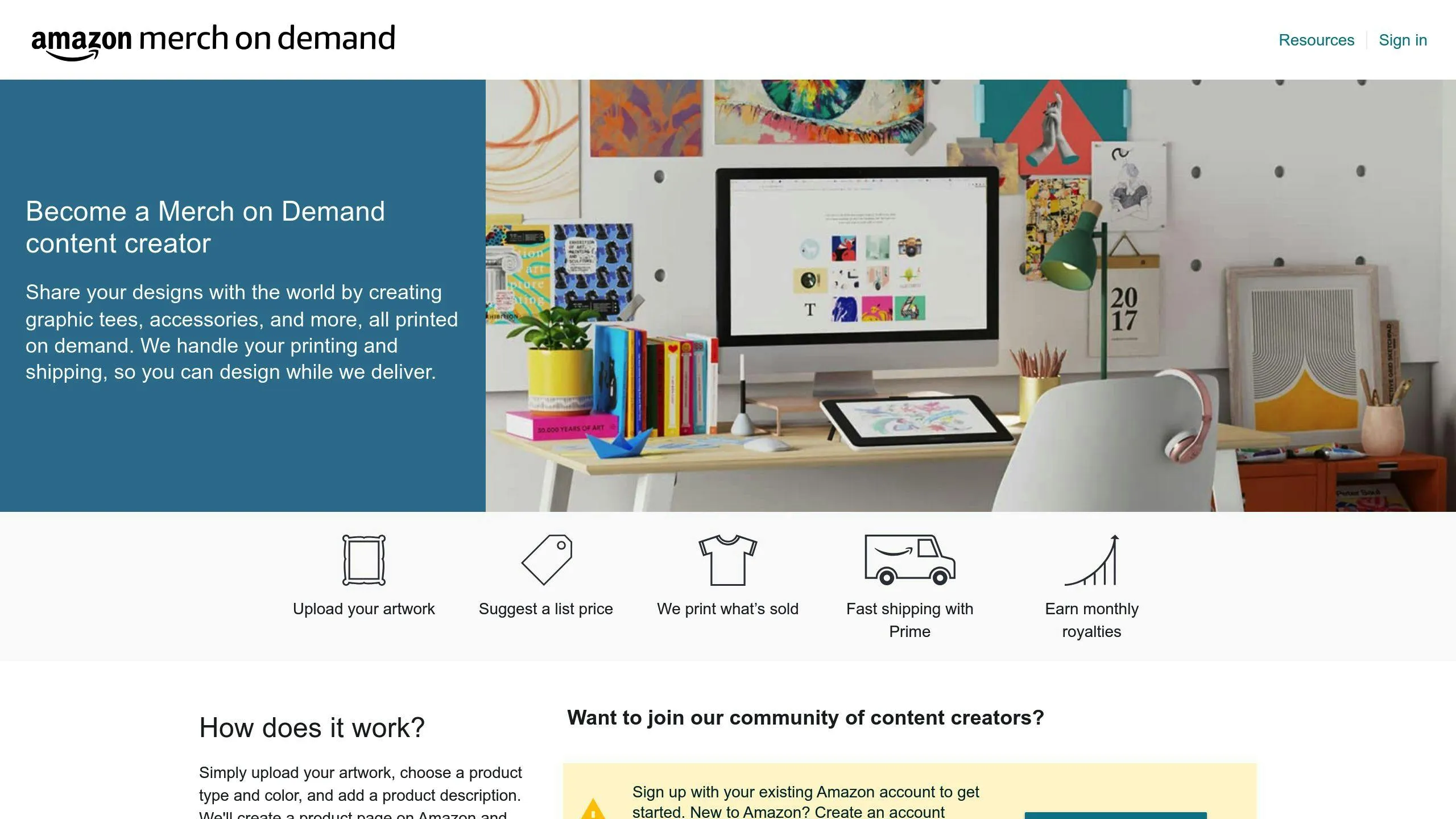
Merch by Amazon

Automating Merch by Amazon can boost your efficiency and profits. Here are the key areas to focus on:

AI tools can create designs in bulk, saving you time. Merch Titans Automation lets you upload designs to multiple POD marketplaces at once, working on both Windows and Mac.

“It gave me all my time back. Uploading and writing went from hours per day to minutes… It’s made my life so much easier.” - Matt Carlett, MerchDesignFactory.com

Tools like Merch Lister Pro streamline the listing process. Create profiles to save Brand Name, Title, Price, Bullet Points, Description, and Color Selections. Fill in all info with just 2 clicks or a keyboard shortcut.

“HUGE TIMESAVER. I’m blown away by how much easier it makes uploading. It pays for itself every day.” - RJ Martinez, Merch by Amazon Mastermind

Use tools that change prices based on market conditions. Amazon’s Automate Pricing feature lets you set pricing rules that update 24/7.

Feature

Amazon Repricing Tool

Third-Party Pricing Tool

Cost

Free with pro selling plan

Often has extra fees

Features

Basic repricing

More advanced options

Reporting

Basic analytics

Usually more robust

Want to boost your Merch by Amazon sales without breaking a sweat? Let’s dive into marketing automation.

Print2Social

Print2Social is like having a personal assistant for your Merch by Amazon social media. It helps you:

  • Post across platforms on autopilot
  • Manage everything in one spot
  • Keep your brand message consistent

Set it up once, and watch your social presence thrive while you focus on designing.

Email marketing isn’t just powerful - it’s a money-making machine for Merch sellers. Here’s the scoop:

  • For every $1 you spend, you could make $36 back
  • It’s cheaper than most other marketing tactics
  • It builds lasting customer relationships

Ready to crush it with email? Here’s how:

  1. Add sign-up forms to your website
  2. Use customer data to make emails personal
  3. Always include a clear next step (CTA) in your emails

Check out this simple email game plan:

Email Type

What to Say

When to Send

Why It Works

Welcome

“Thanks for joining! Here’s 10% off”

Right after sign-up

Gets that first sale

New Stuff

“Fresh designs just dropped!”

Weekly

Shows off new merch

Cart Reminder

“Hey, you forgot something!”

1 hour after cart abandon

Saves lost sales

Set these up once, and you’ll keep customers coming back - no daily grind required.

Managing inventory for your Merch by Amazon business can be tricky. But with the right tools, you can keep your stock levels perfect without breaking a sweat.

Forget manually checking your inventory. Smart tools can do the work for you:

  • Orderhive: Real-time inventory updates across platforms. It’s like having a stock assistant.
  • Zoho Inventory: Works with major e-commerce sites. Great for managing Merch by Amazon stock alongside other platforms.

Pro Tip: Set up reorder points in your software. When stock hits that level, it’ll trigger a reorder. No more “out of stock” surprises!

Selling on multiple platforms? Keeping your inventory in sync is key. Here’s how:

Tool

Function

Key Benefit

Mintsoft

Manages stock, orders, shipping

Interactive warehouse map, automated label printing

TradeGecko (Quickbooks Commerce)

Real-time inventory updates

Prevents overselling, keeps stock accurate

These tools help you:

  • Avoid overselling
  • Keep stock levels accurate everywhere
  • Save time on updates

Tracking your Merch by Amazon business can be overwhelming. But automated performance analysis makes it a breeze.

Performance dashboards give you a quick overview of your business. Here’s how to set one up:

  1. Pick your metrics: Focus on sales, royalties, and product performance.
  2. Choose a tool: Many sellers use Merch Analytics.
  3. Connect your data: Link your Amazon account to your tool.
  4. Customize your view: Highlight what’s important to you.

“Check your dashboard weekly to spot trends and make quick adjustments.”

AI isn’t just futuristic tech. It’s your growth secret weapon. Here’s how:

AI Feature

What It Does

Pattern recognition

Finds sales trends

Predictive analysis

Suggests potential bestsellers

Pricing optimization

Finds the profit sweet spot

Here’s a real example:

A seller uploaded their CSV reports to Merch Analytics. The tool showed that 86% of their sales were t-shirts, with 65% being men’s items. This led them to focus on men’s t-shirt designs, boosting their sales.

Remember: AI is a tool, not a decision-maker. Use its insights to guide you, not rule you.

Automation can supercharge your Merch by Amazon business. Let’s look at how to use it for adding products and improving customer service.

Want to boost your catalog size and sales? Here’s how to automate product creation:

1. Use AI for design generation

AI tools can crank out unique designs fast:

These tools help you hit that sweet spot of 20-40 shirts per niche that top sellers swear by.

2. Automate product uploads

Tools like PrintJourney can make listing products a breeze:

  • Upload designs to multiple sales channels automatically
  • Keep product info synced across platforms

This saves you time and keeps things consistent as you grow.

3. Plan ahead with a content calendar

Map out key events and holidays for the year. Start designing and uploading shirts 3 months before each event. This way, you’ll:

  • Catch early sales
  • Get more eyeballs on your stuff with timely launches

Great customer service is a must for growth. Here’s how to automate it:

1. Use AI-powered chatbots

ChatGPT can handle common customer questions. This:

  • Cuts down response times
  • Frees you up for trickier issues

2. Set up automated email responses

Create templates for FAQs. This ensures:

  • Your messaging stays consistent
  • Customers get quick answers

3. Use tools for review management

Automate collecting and responding to customer reviews. This helps you:

  • Keep your brand image shiny
  • Spot areas where you can do better

Solving Problems in Merch by Amazon Automation

Section titled “Solving Problems in Merch by Amazon Automation”

Automating your Merch by Amazon business can be great, but it’s not all smooth sailing. Let’s tackle two big issues head-on.

Automation can make your brand look messy. Here’s how to fix that:

  1. Set up brand guidelines Write down your brand’s style rules. Think colors, fonts, and design must-haves.
  2. Use templates Create go-to designs and listing formats. It’ll keep everything looking the same.
  3. Regular audits Look over your stuff weekly. Catch any weird-looking items fast.

Automation saves time, but you can’t ditch the human touch. Here’s why:

In 2013, Solid Gold Bomb’s automated system created shirt slogans like “Keep Calm and Rape On”. Yikes. That’s what happens when no one’s watching the robots.

  1. Avoid policy violations Amazon’s rules are tough. Human eyes catch things machines miss.
  2. Two-step review process
    • Let computers catch basic stuff
    • Have humans look for tricky issues
  3. Use tools smartly The Merch Security Chrome extension flags iffy words. But don’t trust it 100% - always do a final human check.
  4. Watch out with AI designs AI tools like MidJourney are fast, but they might accidentally copy stuff. Always double-check what they make.
  5. Handle customer service right Auto-replies are handy, but get a real person on complex problems.

What’s Next for Merch by Amazon Automation

Section titled “What’s Next for Merch by Amazon Automation”

The print-on-demand world is changing fast. Here’s what’s coming to Merch by Amazon:

  1. AI-powered design tools

AI is shaking up design creation. Tools like MidJourney and DALL-E can whip up unique designs from text prompts. This means you can create more designs, faster.

  1. Smart inventory management

Amazon Business is rolling out new inventory control features. These tools track stock levels and reorder automatically. While it’s for Amazon Business now, similar tech could hit Merch by Amazon soon.

  1. Advanced marketing automation

AI is making marketing a breeze. ChatGPT and its cousins can help with product descriptions, ad copy, and marketing emails. Less time on marketing, more time on creating.

Want to stay ahead in Merch by Amazon? Try these:

  1. Jump into AI tools

Start playing with AI design tools now. They’re your ticket to cranking out more designs.

Tool

Monthly Cost

What It Does

MidJourney

$10 - $120

Makes AI images

DALL-E 3

$20 (with ChatGPT Plus)

Turns text into images

ChatGPT

Free - $20

Generates text, helps with marketing

  1. Go green

Customers love eco-friendly stuff. Think about using green materials and shouting about ethical production.

  1. Get personal

People dig unique items. Look into custom designs or limited editions.

  1. Streamline your work

Use tools like PODtomatic to automate uploads. It can post up to 200 products a day. Time is money, right?

  1. Keep your ear to the ground

Watch what Amazon Business is up to. Their new features might be a sneak peek at what’s coming for Merch by Amazon.

Merch by Amazon automation is a game-changer. It lets you focus on what really matters: great designs and business growth.

Here’s why it’s so important:

  • It saves time. You can automate uploads, listings, and pricing.
  • It boosts efficiency. Tools like PODtomatic can post up to 200 products a day.
  • It improves marketing. Print2Social automates social media and email campaigns.
  • It manages inventory better. Auto-monitoring prevents stockouts and overstocking.
  • It provides data insights. Automated dashboards help refine your strategy.

Amazon handles production, shipping, and customer service. You earn royalties (12% to 37%) without upfront costs.

To make the most of automation:

1. Use free tools like Merch Dominator for trend research.

2. Try AI-powered design tools to create more designs faster.

3. Use PPC automation tools like AiHello AutoPilot for 24/7 ad management.

4. Keep an eye on Amazon’s Best Sellers list for trends.

5. Sync Amazon sales with QuickBooks using PayTraQer for easier accounting.

Print-On-Demand Automation

: Streamline Your POD Business

Print-on-demand (POD) automation revolutionizes e-commerce by handling everything from design to delivery. Here’s what you need to know:

  • Automates design creation, order processing, production, shipping, customer support, and data analysis
  • Saves time, reduces errors, lowers costs, and enables easier business growth
  • Market expected to reach $48.4 billion globally by 2032

Key automation areas:

  1. AI-generated designs
  2. Production partner connections
  3. Automated order fulfillment
  4. Streamlined customer service
  5. Data-driven improvements

Tools like GelatoConnect and Flying Upload can save hours daily. Whether you’re new to POD or looking to scale, automation is your ticket to a more efficient, profitable business.

Quick Comparison of POD Automation Tools:

Tool

Key Features

Pricing

Best For

PODtomatic

Product uploads, order management

$150/month

High-volume sellers

Flying Upload

Multi-platform design uploads

From $9.95/month

Artists on various sites

GelatoConnect

Automated fulfillment

Free integration

Multi-product businesses

Gearbubble

Jewelry order fulfillment

Free subscription

Jewelry-focused POD sellers

By automating your POD business, you can focus on growth and creativity while the system handles the rest.

Print-On-Demand (POD) automation is a game-changer. It’s a system that handles everything from design to delivery, without you lifting a finger. No more manual tasks eating up your time. Instead, you can focus on growing your business and unleashing your creativity.

POD automation isn’t just one thing. It’s a whole ecosystem:

1. Design Creation

AI-powered software churns out designs like there’s no tomorrow. It’s like having a team of designers working 24/7.

2. Order Processing

Your online store talks directly to your production partners. Orders fly from cart to printer in seconds.

3. Production

Files get prepped and print jobs get managed automatically. It’s like having a robot running your print shop.

4. Shipping

Labels appear like magic, and shipping centers get the memo instantly. Your products practically ship themselves.

5. Customer Service

AI chatbots and automated emails handle customer questions. It’s like having a customer service team that never sleeps.

6. Data Analysis

Data gets collected and reports get generated without you lifting a finger. It’s like having a business analyst on staff 24/7.

Automation isn’t just cool. It’s a business superpower:

Benefit

Description

Time Savings

Less manual work = more time for big-picture thinking

Fewer Errors

Machines don’t make typos or ship to the wrong address

Cost Reduction

Lower labor costs and less waste = more profit

Scalability

Handle 10x the orders without 10x the headaches

Customer Satisfaction

Faster processing and real-time updates = happy customers

Bank “Automation” K., the brains behind PODtomatic, puts it simply: “The easiest way to grow your business is to automate your process.”

Take PODtomatic, for example. For $150, you can upload 6,000 products to Amazon in a month. Try doing that manually and you’ll be gray by Tuesday.

AI tools have revolutionized print-on-demand (POD) businesses. Now, you can crank out designs without being Picasso.

Here are some AI tools to supercharge your design process:

  • Midjourney: Creates images with killer textures and colors. Use it through Discord. $10/month for about 200 images.
  • DALL-E 3: OpenAI’s text-to-image wizard. Expand images and make realistic edits. 115 credits for $15.
  • Printify’s AI Image Generator: Built into Printify’s Mockup Generator. 13 styles, four versions per image. 15 free images daily.

Want to pump out designs like a factory? Here’s how:

1. Use ChatGPT to brainstorm niches and quotes.

2. Try Canva’s Bulk Create for hundreds of designs in a flash.

3. Use Automate POD to turn one idea into 500+ unique designs.

Bank “Automation” K., a POD guru, says:

“I hire a designer from onlinejobs.ph to get it done for me cheaply. I also give my graphic designer access to Canva so he can create many beautiful designs quickly.”

Streamline your design process:

1. PodConnect: Upload designs to multiple POD sites at once. Works with Printful, Redbubble, Zazzle, and more. Free trial available. Get 20% off with code “julie20”.

2. Dynamic Mockups: Free tool for bulk, realistic mockups. Create 100 versions in about 10 seconds.

Want to boost your print-on-demand (POD) business? Automate your order handling. It’s that simple.

Link your POD service to e-commerce platforms. It’s a game-changer:

  • Shopify + Printful/Prodigi: Connect these, and orders flow straight to printing. No manual work needed.
  • GelatoConnect: Link Amazon, eBay, and Etsy at once. Orders from all stores? Fulfilled automatically.

Smart routing is key:

  • Printify lets you pick the best vendor for each product.
  • Prodigi uses the nearest print facility, cutting shipping times and costs.

No more constant inventory checks:

  • Most POD platforms sync stock levels across all sales channels.
  • Set up low stock alerts to never miss a sale.

Here’s what POD expert Bank “Automation” K. says:

“I used to pay $600 for someone to upload 3,000 products weekly to Amazon. Now? With PODtomatic, I spend 15 minutes setting up and upload 6,000 products monthly for $150.”

That’s the power of automation in POD. Less time, less money, more business.

Let’s look at how print-on-demand (POD) businesses can boost efficiency by automating key production steps.

Manual file prep? It’s a time-suck. Here’s how to speed things up:

  • Use PDF, TIFF, EPS, or JPEG for print-ready files
  • Convert RGB to CMYK for accurate colors
  • Aim for 300 DPI images
  • Add a 1/8 inch (3mm) bleed

Quick tip: Embed fonts in PDFs or convert to outlines. It’ll save you headaches later.

Want to scale your POD business? Efficient job management is key:

  • Link your POD service to e-commerce platforms
  • Use smart routing for orders
  • Set up low stock alerts

A POD expert, Bank “Automation” K., says:

“I used to pay $600 for someone to upload 3,000 products weekly to Amazon. Now? With PODtomatic, I spend 15 minutes setting up and upload 6,000 products monthly for $150.”

Ditch manual quality control. It’s error-prone. AI tools can help:

  • cLynx uses AI for print production quality control
  • It spots tiny mismatches (0.01mm to 0.05mm) on a single file

Ingo Beutler from SAUERESSIG Group notes:

“cLynx digitises the process of checking printing tools, completely removing the need for manual quality checking.”

Let’s look at how print-on-demand businesses can make shipping and delivery faster and more accurate.

Manual label creation? Slow and mistake-prone. Here’s the fix:

  • Use shipping software that works with your e-commerce platform
  • Set up automatic order imports from your selling channels
  • Print up to 500 labels at once, no matter where the orders come from

“ShipStation can import orders from over 100 selling channels. It makes label creation a breeze.”

Streamline your operations by connecting with shipping providers:

  • Use software that picks the best carrier for each order
  • Generate customs forms automatically for international shipments
  • Update tracking numbers on your e-commerce platform without lifting a finger

Bank “Automation” K., a POD expert, says:

“I use PODtomatic to place orders on my POD supplier’s website without any manual work. It saves me time and cuts down on errors.”

Keep your customers in the loop:

  • Set up automatic emails for order status changes
  • Use SMS for key shipping milestones
  • Show tracking info directly on your store’s order status page

“Printful lets you customize packing slips and tracking pages. It keeps your brand consistent throughout the shipping process.”

Print-on-demand businesses can supercharge their customer support with automation. Here’s how:

AI chatbots handle common questions, freeing up human agents:

  • They’re always on, cutting wait times
  • They understand customer queries
  • They can process orders and manage accounts

In 2022, 88% of consumers chatted with a bot. By 2027, chatbots will be the main customer service tool for 25% of businesses.

“72% of business leaders said expanding AI and chatbots across the customer experience is a priority.” - Zendesk

Take Cowboy, the electric bike maker. Their AI chatbot offers multilingual support and links to a big FAQ database. Customers can self-help or chat with a live agent if needed.

Set up auto-responses for common customer emails:

  • Order confirmations
  • Shipping updates
  • FAQ answers

Brand these emails with your logo and message to keep it professional.

Keep customers in the loop:

  • Update them when orders are received, processed, and shipped
  • Use email or SMS for key shipping milestones
  • Show tracking info on your store’s order status page

This cuts down on customer service emails and keeps buyers happy.

“An hour after an influencer ordered from me, he had already received an email saying his order had shipped. If I was fulfilling orders myself, it would have taken me much longer. This was the perfect example of ShipBob working how it should, automatically sending tracking info and giving my customers everything they needed.” - Tracey Wallace, Founder of Doris Sleep

Print-on-demand businesses can supercharge their operations with automation. Let’s dive into how it works.

Imagine never having to manually input sales data again. That’s the power of automation.

Take Skyvia, for example. When a customer buys something on your e-commerce site, it instantly sends that data to your bookkeeping software. No more late nights crunching numbers!

Want to know how your business is doing RIGHT NOW? Automated systems have got you covered.

Syncari is like a data superhighway. It moves information between different sources, giving you a real-time snapshot of your business. You can use pre-made templates or build your own custom dashboard.

Reports that create themselves? It’s not magic, it’s automation.

Here’s a quick 3-step process to get started:

  1. Identify your report needs
  2. Choose a tool (Datylon for Illustrator is a solid option)
  3. Set your report schedule

And here’s the kicker: For every $1 you spend on marketing automation, you could get $5.44 back. That’s according to Nucleus Research.

“The beauty of this setup is that once everything is in place, the business essentially runs itself.” - Marcia Cripps, Author

With automation, your print-on-demand business can run smoother, faster, and more profitably. It’s like having a tireless assistant working 24/7 to keep you informed and on track.

Choosing POD automation tools can make or break your business. Let’s dive in.

When shopping for tools, focus on:

  • Integration with your systems
  • Ability to scale
  • User-friendliness
  • Available support
  • Cost

Here’s a quick rundown:

  • PODtomatic: Handles product uploads and orders
  • Flying Upload: Pushes designs to multiple platforms
  • GelatoConnect: Streamlines fulfillment
  • Gearbubble: Specializes in jewelry orders

Let’s break it down:

Tool

Key Features

Pricing

Best For

PODtomatic

Product uploads, order management

$150/month

High-volume sellers

Flying Upload

Multi-platform design uploads

From $9.95/month

Artists on various sites

GelatoConnect

Automated fulfillment

Free integration

Multi-product businesses

Gearbubble

Jewelry order fulfillment

Free subscription

Jewelry-focused POD sellers

PODtomatic is a beast for high-volume sellers. $150 a month gets you 6,000 product uploads. That’s a steal compared to paying someone $600 to upload 3,000 products weekly.

Flying Upload is an artist’s best friend. It plays nice with Merch by Amazon, Redbubble, and Spreadshirt. Bonus: it throws in keyword suggestions and trademark checks.

GelatoConnect is your go-to for diverse product lines. T-shirts to photo books? No sweat.

Gearbubble owns the jewelry POD game. It hooks up with Amazon, eBay, and Etsy to handle your bling orders.

Look at your workflow. What takes up most of your time? It’s usually things like uploading products, creating designs, managing orders, and customer service.

Next, pick tools that fit your needs and budget. Here are some options:

Tool

Use Case

Starting Price

PODtomatic

High-volume sellers

$150/month

Flying Upload

Multi-platform design uploads

$7.95/month

GelatoConnect

Multi-product fulfillment

Free integration

Gearbubble

Jewelry POD

Free subscription

Start small. Pick one area to automate first. Maybe try AI tools like Midjourney or Adobe Firefly for your design process.

Use free trials. Most tools offer them, so test before you buy.

Think about ROI. Will the tool save you more time and money than it costs?

Keep learning. The POD world changes fast, so stay updated on new tools.

Watch your metrics. Make sure automation is helping, not hurting.

1. Tool doesn’t play nice with your setup

Fix: Look for tools with lots of integration options. PODtomatic, for example, connects straight to Amazon.

2. Too many choices

Fix: Start with one area. Master it, then move on. Maybe begin with Flying Upload for design automation.

3. Seems pricey

Fix: Compare to manual labor costs. Bank K. says: “I paid someone $600 to upload 3,000 products a week to Amazon. With PODtomatic, I spend 15 minutes setting up and upload 6,000 products a month for $150.”

4. Mistakes happen

Fix: Set up regular checks. Use AI for initial scans, but don’t forget human eyes too.

By 2025, the Print-On-Demand (POD) industry is in for a shake-up. AI’s going to be a game-changer for designs and customization. Here’s the scoop:

  • AI design tools will spit out ideas based on customer preferences and show real-time product previews.
  • AI will also predict trends and customer behavior to suggest top-selling products.
  • Going green isn’t optional anymore. POD companies will need to use renewable resources and ethical manufacturing.

Tech

POD Impact

AI Design

Auto suggestions, live previews

Predictive AI

Smart product offerings

Green Tech

Eco-friendly production

To stay on top in POD, businesses should:

1. Jump on the AI bandwagon. Look for tools that’ll boost your design game and understand customer wants.

2. Make it personal. Customers crave unique stuff, so amp up your customization options.

3. Go green now. It’s not just good PR - soon, customers will demand it.

4. Keep your eyes peeled for new niche markets. There’s always a new hobby or interest popping up.

5. Stay nimble. The POD world moves fast, so be ready to pivot when new trends hit.

“The easiest way to grow your business is to automate your process.” - Bank “Automation” K.

This POD expert’s advice hits the nail on the head. Looking ahead, automation is your ticket to staying competitive in the booming POD market.

POD automation is changing the printing game. It’s making everything faster and smoother, from design to delivery.

Here’s the deal with POD automation:

  1. Saves time and money: It handles the boring stuff, so your team can focus on what matters.
  2. Fewer mistakes: Less human error means happier customers.
  3. Grow easier: Handle more orders without hiring more people.
  4. Customers love it: Quick updates and 24/7 support? Yes, please.
  5. Smart decisions: Real-time data helps you make better choices.

Check out these real-world benefits:

Task

Old Way

New Way

Product uploads

3,000/week, $600

6,000/month, $150

Order processing

Manual, messy

Automated, accurate

Customer support

9-5 only

Always on

Design creation

Slow, manual

Fast, AI-powered

POD automation isn’t just cool - it’s becoming a must-have. As POD expert Bank K. says: “The easiest way to grow your business is to automate your process.”

For print-on-demand (POD) businesses, these AI tools stand out:

  1. MidJourney: Creates realistic images from text. $10/month.
  2. DALL-E: Generates images from descriptions. DALL-E 3 starts at $15/month.
  3. Remove.bg: Removes image backgrounds. Free and paid plans.

Here’s a quick comparison:

Tool

Use

Starting Price

MidJourney

Realistic images

$10/month

DALL-E 3

Text-to-image

$15/month

Remove.bg

Background removal

Free (paid options)

POD automation expert Jimmy Bearden says:

“MidJourney, DALL-E, and Remove.bg are top AI tools for POD. They cover realistic images, text-to-image generation, and background removal.”

MidJourney shines with detailed, striking images. DALL-E is known for user-friendly text-to-image creation.

When picking an AI tool, think about your design needs, budget, and how easy it is to use.