Skip to content

Blog

10 Ways to Use Reviews for Social Media Growth

Customer reviews are a powerful tool for boosting your social media presence. They provide social proof, user-generated content, and valuable feedback to improve your products and engage your audience. Here’s how you can use them effectively:

  • Turn Reviews into Posts: Share customer quotes with product images or videos.
  • Create Review Videos: Use tools to make dynamic videos from testimonials.
  • Engage with Reviews: Reply to both positive and negative feedback to build trust.
  • Improve Products: Use feedback to refine your offerings and share updates.
  • Run Contests: Encourage customers to share reviews through contests.
  • Collaborate with Influencers: Blend reviews into influencer content.
  • Highlight Patterns in Stories: Share recurring themes from reviews.
  • Weekly Features: Post a standout review every week.
  • Add Reviews to Ads: Use testimonials in social media ads for credibility.
  • Leverage AI Tools: Automate the process with tools like Print2Social.

How To Market Your Business On Social Media

Section titled “How To Market Your Business On Social Media”

Turn positive customer reviews into engaging social media content that builds trust and encourages interaction. By transforming reviews into visually appealing posts, you can highlight customer experiences and connect with new audiences.

How to Make Reviews Stand Out

Tools like Print2Social make it simple to convert reviews into eye-catching visuals. These AI-driven platforms can automatically create professional posts by combining customer testimonials with product images or video clips.

Tips for Crafting Review-Based Posts

To create effective posts from customer reviews, consider these tips:

  • Use quotes that emphasize key product benefits.
  • Pair reviews with images showing the product in action.
  • Tag customers (with their consent) to encourage engagement.
  • Add product links so viewers can shop easily.

These approaches help you create content that resonates with your audience and keeps them engaged.

Mixing It Up

Keep your content fresh by alternating between different types of review-based posts. For example, combine customer quotes, product photos, and video testimonials to tell a well-rounded story about your brand.

Why Automation Helps

Using automation tools ensures a steady stream of content while maintaining a good balance between promotional, engaging, and informative posts. This keeps your social media strategy consistent and effective.

Turn customer reviews into engaging video content to boost your social media presence. Videos consistently perform better than static posts, making them a must-have for growing your audience.

Platforms like Print2Social use AI to transform written reviews into dynamic videos, saving time while keeping the quality consistent. For each product, the tool generates eight variations, allowing you to test and improve quickly.

Here are some effective formats for showcasing reviews:

  • Product-focused videos: Combine testimonials with product visuals.
  • Lifestyle clips: Add review text to real-life usage scenarios.
  • Animated designs: Use quotes creatively with mockups or animations.

To make your review-based videos stand out, pay attention to these details:

  • Keep them short and attention-grabbing.
  • Use clear, easy-to-read text overlays.
  • Highlight the product visually throughout the video.
  • Add music that complements the tone.
  • End with a strong call-to-action.

AI tools like Print2Social simplify the process by blending visuals and reviews into professional-quality videos. This automation helps maintain a consistent look and feel across all your content.

Try different approaches - product showcases, lifestyle clips, or animations - to see what resonates with your audience. Regularly tweak your formats to keep your videos fresh and engaging.

Engaging with reviews on social media isn’t just about visibility - it’s about building stronger connections with your customers.

Responding to reviews quickly shows customers you value their time and feedback. A prompt reply can leave a lasting impression.

Craft thoughtful replies that make customers feel appreciated. Here’s how:

  • Address them by name and mention specific details from their review.
  • Highlight their positive experience to reinforce it.
  • Encourage future interactions, like returning or sharing more feedback.

For example:

“Thanks for your feedback, Sarah! We’re thrilled you loved our custom hoodies. Can’t wait to serve you again!”

Turning Negative Reviews Into Opportunities

Section titled “Turning Negative Reviews Into Opportunities”

Negative reviews can be tricky, but they’re also a chance to show your commitment to improvement. Here’s a simple approach:

  • Acknowledge the issue without being defensive.
  • Offer to resolve it privately after a brief, empathetic public reply.
  • Once resolved, update the thread to let others see how you handled it.

This approach not only addresses the issue but also shows transparency and care.

AI tools, like Print2Social, can help make responding to reviews more efficient. They can:

  • Analyze sentiment to prioritize reviews.
  • Suggest tailored response templates.
  • Monitor your response times and engagement levels.
  • Schedule follow-ups to keep the conversation going.

Use customer feedback to refine your products while also boosting your presence on social media. Build a system that turns this feedback into actionable improvements.

Sort customer reviews into categories like:

  • Print quality
  • Material durability
  • Size accuracy
  • Design clarity
  • Shipping experience

Tracking these categories regularly helps you spot recurring issues and measure progress over time.

Address common concerns directly. For example, if customers mention sizing problems, update your size charts, add detailed fitting guides, or include comparison photos to make it easier for customers to choose the right size.

Use social media to highlight product updates with before-and-after visuals. Include customer testimonials and reviews that prompted these changes to show you’re listening and taking action.

Monitor how your updates perform by tracking metrics like likes, shares, comments, and customer sentiment. Pay attention to new reviews that reflect customer responses to your improvements.

Save time by using tools like Print2Social to automate social media updates. This allows you to focus on analyzing feedback and implementing changes more efficiently. Automating these processes ensures you stay responsive without sacrificing time.

Turn customer reviews into contests to boost engagement and build social proof for your print-on-demand business. These contests not only increase visibility but also encourage customers to share their experiences in creative ways.

Create contests with clear rules and appealing rewards. Keep participation straightforward to ensure you receive quality entries. Here are some ideas:

  • Photo Review Challenge: Invite customers to share photos of themselves using your products along with their honest reviews.
  • Video Testimonial Contest: Ask for short video reviews showcasing your product’s features.
  • Creative Review Stories: Encourage customers to share unique or unexpected ways they use your products.

Motivate participation with tiered prizes that encourage effort and creativity. Here’s an example prize structure:

Prize Tier

Reward Type

Requirements

Grand Prize

$250 store credit

Best photo or video review

Runner-up

$100 store credit

Top 3 detailed written reviews

Participation

15% discount code

All valid review submissions

Use multiple channels to spread the word and maximize participation:

  • Pin announcements to your social media profiles.
  • Create branded hashtags to track entries easily.
  • Showcase winning entries to inspire others.
  • Use Instagram Stories highlights to feature ongoing contests.

These strategies will help your contest gain traction and encourage more entries.

Set clear guidelines to maintain the integrity of your contests:

  • Require proof of purchase for eligibility.
  • Specify minimum review length requirements.
  • Ask customers to include details about the product.
  • Request original photos or videos that show the product in use.

These steps ensure the reviews are genuine and useful, both for your business and future customers.

Track important metrics to evaluate the contest’s impact:

  • Total review submissions
  • Social media engagement levels
  • Hashtag usage
  • Customer participation trends
  • Conversion rates from contest-related traffic

Analyzing these metrics will help you refine future contests for even better results.

Simplify the process with tools like Print2Social. These can help you schedule, manage, and track your contests, so you can focus on reviewing entries and picking winners.

Combine influencer marketing with customer reviews to strengthen your print-on-demand brand. Here’s how to seamlessly integrate reviews into influencer content.

Choose Reviews That Match the Influencer’s Style

Section titled “Choose Reviews That Match the Influencer’s Style”

Pick reviews that align with the influencer’s tone and audience. Focus on real testimonials that showcase specific product features or benefits the influencer can naturally highlight in their content.

Incorporate customer feedback into various content formats:

Content Type

How to Add Reviews

Purpose

Instagram Stories

Overlay verified customer quotes on images

Build trust and show transparency

YouTube Reviews

Include testimonials in b-roll footage

Add social proof

TikTok Videos

Use review screenshots during transitions

Make content feel relatable and engaging

Transform plain text reviews into shareable visuals. Tools like Print2Social can help by:

  • Turning customer feedback into eye-catching graphics.
  • Creating short videos featuring product reviews.
  • Designing custom visuals that combine influencer content with testimonials.

Authenticity matters. Make sure influencers:

  • Use verified customer reviews.
  • Have creative freedom in how they present the reviews.
  • Share their own experiences alongside the testimonials.
  • Clearly label sponsored content to maintain transparency.

Track how well these posts perform by analyzing:

  • Engagement rates on posts featuring reviews.
  • Click-through rates to product pages.
  • Conversion rates from influencer-shared content.
  • Audience reactions and feedback.

These metrics can help you fine-tune your strategy for better results.

Once you’ve found what works, expand your efforts by:

  • Repurposing successful posts for other platforms.
  • Adapting review content for specific social channels.
  • Encouraging influencers to share reviews in multiple formats.
  • Building a consistent message across all touchpoints.

Print2Social can simplify the process, helping you maintain consistent branding while scaling your influencer campaigns effectively.

7. Share Review Patterns in Social Stories

Section titled “7. Share Review Patterns in Social Stories”

Turn recurring themes from customer reviews into engaging Stories content that resonates with your audience.

Break down customer feedback into key themes to guide your content:

Theme Type

What to Look For

Story Content Ideas

Product Quality

Mentions of durability, materials

Before/after wear tests

Customer Service

Response time, issue resolution

Behind-the-scenes support clips

Design Features

Popular style elements, print quality

Close-up product showcases

Shipping Experience

Delivery speed, packaging quality

Unboxing highlights

This structure helps you craft Stories that reflect both the strengths and challenges highlighted in reviews.

Turn these themes into a series of Stories that feel connected and purposeful. Use tools to ensure visuals are consistent and polished.

Go beyond celebrating positive feedback by tackling areas for improvement:

  • Highlight reviews, share quick tutorials, and showcase success stories to underline key benefits.
  • Be transparent about concerns raised in reviews.
  • Explain the steps you’ve taken to address these concerns.
  • Offer behind-the-scenes glimpses of ongoing improvements.

Design your Stories with these tips to make them visually appealing and interactive:

  • Use brand colors to differentiate feedback categories.
  • Create custom Story highlights for each major theme.
  • Add interactive polls to engage with recurring feedback.
  • Include product tags for easy navigation to items.

Measure the impact of your review-based Stories by monitoring these metrics:

Metric

What It Tracks

Why It Matters

Story Completion Rate

Percentage watching full story

Indicates content relevance

Tap Forward Rate

Number of quick forwards

Highlights less engaging segments

Reply Rate

Direct responses to stories

Shows audience connection

Link Clicks

Visits to product pages

Reflects purchase interest

Use this data to refine your approach, focusing on the themes that resonate most with your audience.

Use customer reviews to create a weekly feature that builds trust and keeps your audience engaged. Highlight real experiences to showcase your products in a relatable way.

Develop a template that aligns with your brand and makes reviews stand out. Include:

  • A consistent look (colors, fonts, and layout)
  • A featured review alongside a product image
  • Key product details
  • Customer tags (make sure you have their permission)
  • A clear call-to-action to drive engagement

Schedule your review posts ahead of time. Rotate through different product categories each week to keep things fresh and appeal to a wider audience. Automating this process can help you stay on track without extra hassle.

Use tools like Print2Social to simplify your workflow. These tools can help you create and schedule visuals for each review, turning them into attention-grabbing images or videos while keeping your social media calendar organized.

Take your review posts to the next level by:

  • Pairing customer photos with professional product images
  • Highlighting standout product features
  • Adding helpful details like sizing or care instructions
  • Tying posts to seasonal trends or popular themes

Pay attention to metrics like engagement, click-through rates, and comments. Use this data to tweak your posting schedule and refine your content for better results.

Get more customers to share their experiences by:

  • Offering incentives like discounts or entry into contests
  • Promoting a branded hashtag for reviews
  • Showing how customer feedback influences your products and services

Adding reviews to your social media ads can boost customer trust and improve visibility. Reviews act as social proof, helping potential buyers feel more confident about your product and encouraging them to take action.

Choose reviews that highlight your product’s strengths or address common customer concerns. These should clearly showcase how your product solves problems or stands out from competitors. Pair these reviews with eye-catching product images to create ads that grab attention and drive clicks.

To streamline the process, you can use tools like Print2Social to create multiple ad variations. This allows you to test different formats and messages to see what works best for your audience.

Keep an eye on key metrics like click-through rates and conversions. Testing and refining your ads will help you get the best possible results.

Print2Social

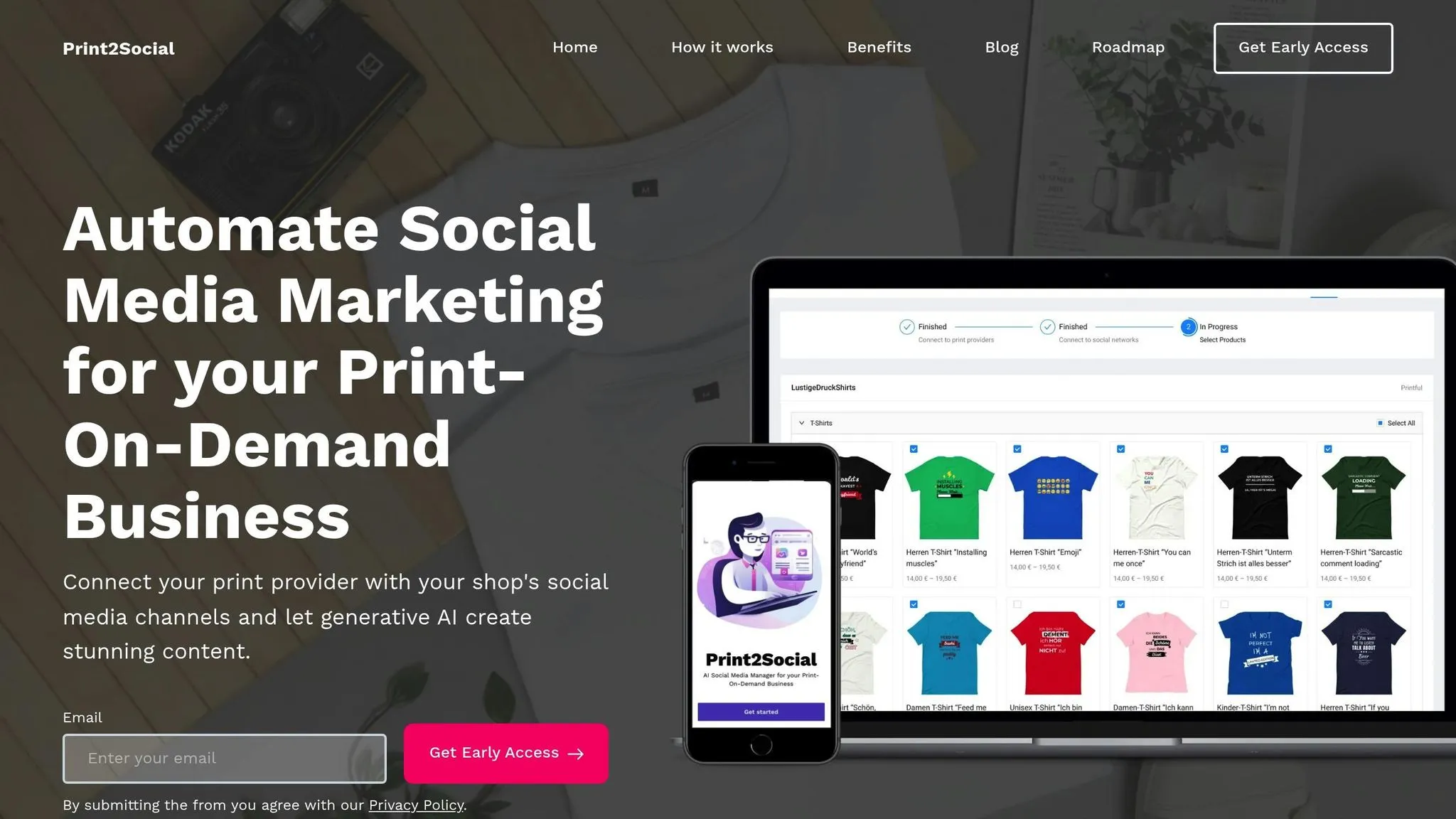
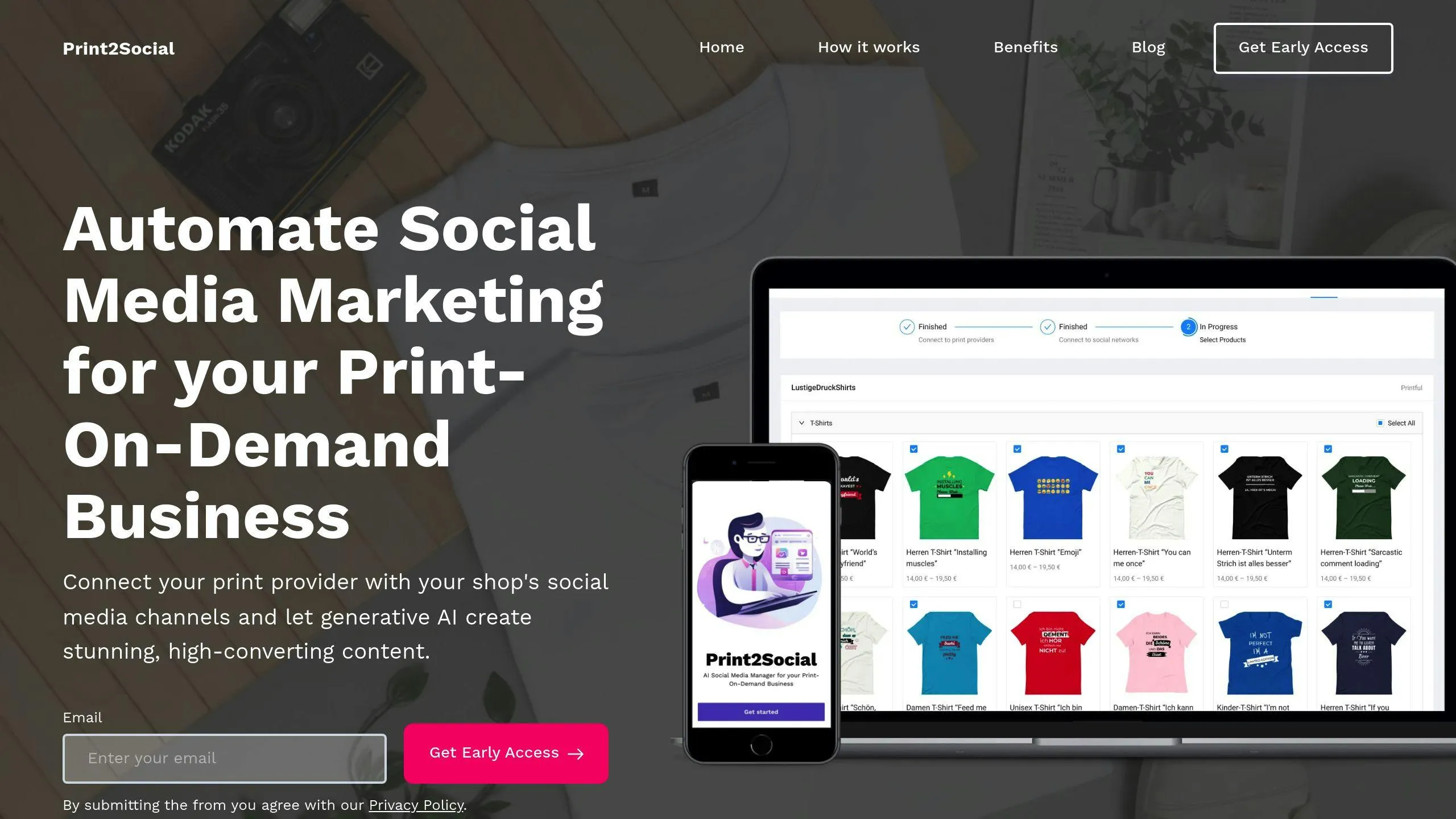
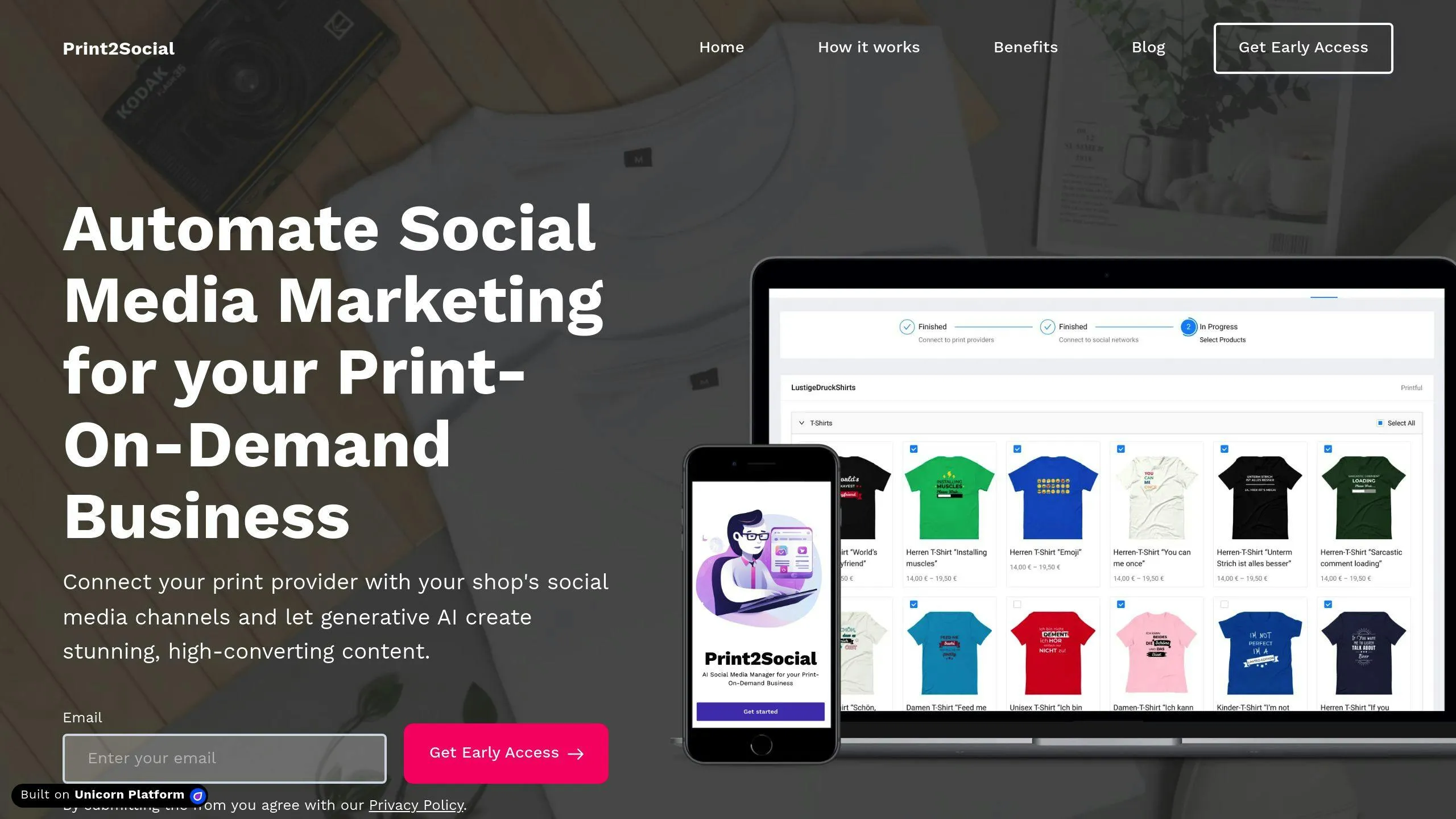
Print2Social helps you turn customer reviews into eye-catching social media posts, perfect for print-on-demand businesses. Using AI, it creates visual content like product images and video clips, paired with testimonials to boost social proof.

Here’s how to make the most of Print2Social:

  • Connect Your Accounts: Link your print-on-demand shops and social media profiles to streamline your product catalog and reviews in one place.
  • Generate Visual Content: Use AI to produce lifestyle images and promotional videos that highlight customer testimonials. Each product gets 12 images and 8 video clips, giving you 20 unique posts.
  • Schedule Posts: Plan the timing of your posts to maximize visibility and engagement across different platforms.

These features make it easy to incorporate customer feedback into your social media strategy.

Use customer reviews and AI tools to boost your social media presence. This approach transforms everyday feedback into a powerful way to connect with your audience.

By consistently sharing real customer experiences and automating content creation with AI, you can strengthen your online presence. Tools like Print2Social simplify this process for print-on-demand businesses, helping them create up to 20 unique posts per product (12 images and 8 videos). This ensures a constant flow of engaging content.

Here’s how to get started:

  • Review Your Feedback: Gather and organize customer reviews from all platforms.
  • Pick Your Platforms: Focus on social media channels where your audience spends the most time.
  • Automate the Process: Link your print-on-demand store with your social accounts to streamline content creation.

Start today by turning customer feedback into actionable content. Build stronger connections with your audience, monitor engagement, and refine your strategy as needed.

Combining customer feedback with AI-driven tools is the next step in social media marketing. Print-on-demand businesses can use these strategies to create a reliable, time-efficient social media presence.
How AI Improves Feedback Collection for POD Stores

AI tools are transforming how print-on-demand (POD) stores collect and analyze customer feedback. Instead of relying on slow, manual methods, AI systems provide fast, automated solutions that help businesses make data-driven decisions. Here’s a quick overview:

  • Why Feedback Matters: AI processes customer reviews to reveal insights on product quality, design trends, and satisfaction, enabling stores to adapt quickly.
  • Challenges Solved by AI:
    • Handles large feedback volumes
    • Provides real-time analysis
    • Reduces emotional bias in interpretation
  • Key AI Features:
    • Text Analysis: Detects sentiment, common issues, and trends in reviews.
    • Automated Data Collection: Gathers feedback from multiple channels like social media and surveys.
    • Pattern Recognition: Identifies root causes, tracks trends, and predicts future customer behavior.

With tools like Print2Social, POD stores can integrate AI into their platforms, streamline workflows, and improve customer satisfaction while saving time and resources. Pricing starts as low as $39/month, making it accessible for businesses of all sizes.

AI-powered thematic analysis for qualitative research in customer feedback

Section titled “AI-powered thematic analysis for qualitative research in customer feedback”

Modern AI tools are reshaping how POD stores gather and analyze customer feedback, making it easier to make decisions based on data. These tools go beyond analyzing individual reviews - they automate data collection and identify patterns that might otherwise go unnoticed.

By tackling the inefficiencies of manual methods, AI provides targeted solutions that streamline feedback collection.

AI-powered text analysis uses natural language processing (NLP) to dive into customer reviews, uncovering both obvious sentiments and subtle feedback.

“Reading through a few hundred reviews takes time that we don’t have. Instead of 8 hours to parse the details in 6000 reviews, it takes me 10 minutes using Keatext.” - Alisha Manion, Account Manager, Sampler

Here’s how AI breaks down customer feedback:

Analysis Type

What AI Detects

Business Impact

Sentiment Analysis

Customer emotions and satisfaction

Pinpoints areas that need immediate attention

Topic Categorization

Common issues like logistics problems

Helps prioritize operational improvements

Keyword Detection

Frequently mentioned product features

Guides design and inventory decisions

Intent Recognition

Purchase likelihood and customer needs

Supports proactive customer service strategies

AI doesn’t just analyze feedback - it also automates how it’s gathered from different sources. This brings key advantages for POD stores:

  • Real-time Processing: Speeds up feedback analysis, working up to 10 times faster than traditional methods.
  • Multi-channel Integration: Combines feedback from platforms like social media, email surveys, and review sites.
  • Scalability: Handles growing volumes of feedback without requiring additional resources.

Additionally, AI can personalize surveys and adjust questions based on responses, increasing both response rates and the relevance of insights.

AI tools also excel at identifying patterns that can drive actionable insights:

1. Root Cause Analysis

AI digs deeper into complaints to uncover hidden issues. For instance, repeated complaints about delivery delays might point to specific geographic challenges or carrier inefficiencies.

2. Trend Tracking

By monitoring shifts in customer sentiment over time - such as after a product launch - AI helps businesses measure the impact of their decisions.

3. Predictive Insights

Analyzing historical feedback allows AI to forecast potential issues or customer behavior trends, giving stores a chance to address problems before they arise.

These AI-driven capabilities enable POD stores to tackle challenges head-on and improve customer satisfaction. Pricing for AI tools typically ranges from $39/month for basic plans to $129/month for professional packages, making them accessible for businesses of all sizes.

When choosing AI tools for your print-on-demand (POD) store, focus on features that align with your business needs. Here’s a breakdown:

Feature Category

Key Functions

Benefits for POD Businesses

Data Collection

Gather feedback from multiple channels

Gain insights from customers across platforms

Analysis Tools

Use natural language processing

Identify trends in product feedback

Integration

Ensure compatibility with POD platforms

Connect easily with your existing systems

Reporting

Create customizable dashboards

Monitor product and design performance

Automation

Automate workflows

Minimize manual effort in feedback handling

For example, Print2Social is tailored for POD businesses. It automates feedback collection from social media and integrates effortlessly with popular POD platforms, making it an effective tool for managing customer insights. Once you’ve selected your software, the next step is to ensure smooth integration with your POD platform.

To integrate AI feedback tools with your POD platforms, focus on compatibility and data flow. Many users, such as those of Flying Upload, have successfully connected their systems across various POD platforms. Similarly, Print2Social excels in feedback collection and social media automation.

Key steps for integration:

  • Platform Authentication
    Ensure you have admin access to all relevant platforms, including your POD marketplace, social media accounts, and customer service tools.
  • Data Flow Configuration
    Set your AI tool to gather feedback from specific sources. For instance, Printify supports automated feedback collection and A/B testing, making it easier to make informed product decisions.
  • Integration Testing
    Test the system with a small set of feedback before full deployment. This helps catch and fix any issues early on.

Once integration is complete, you’re ready to configure your AI tool for optimal performance.

  • Initial Setup and Customization
    Adjust basic settings to match your store’s size and customize feedback categories to suit your products. Keep in mind that pricing may vary based on the features you choose.
  • Automation Rules
    Establish workflows to streamline tasks like:
    • Directing feedback to the right team members
    • Generating regular performance reports
    • Highlighting urgent issues for quick action
    • Monitoring trends across product categories

Proper setup ensures your AI tool works efficiently, saving time and improving feedback management.

AI has made it easier to track feedback across social media platforms. With approximately 5.5 billion users worldwide and over 2 billion posts shared daily, manually keeping up with this volume is impossible. AI tools step in to process this massive data instantly, offering insights that can directly benefit your print-on-demand (POD) business.

Monitoring Aspect

AI Capabilities

Business Impact

Sentiment Analysis

Tracks positive, negative, and neutral reactions

Identifies product issues early

Trend Detection

Spots emerging patterns in conversations

Informs product development decisions

Competitor Analysis

Monitors competitors’ performance

Highlights market opportunities

Crisis Management

Flags spikes in negative sentiment

Enables fast issue resolution

Take, for example, tools like Print2Social. This AI-powered platform automatically monitors product mentions and engagement metrics across social networks. It evaluates customer interactions to reveal which products and designs resonate most with your audience.

By combining AI-driven social media monitoring with survey insights, POD businesses can create a well-rounded strategy for understanding and improving customer satisfaction.

AI takes traditional surveys to the next level, turning them into dynamic tools for real-time feedback. Using insights from social media, AI can help craft surveys that address the most relevant customer sentiments.

  • Create Targeted Surveys: AI examines your product categories and customer segments to develop focused questions.
  • Automate Analysis: Survey responses are automatically analyzed, providing clear recommendations without manual effort.
  • Generate Insights: Findings are compiled into actionable steps for improving products and marketing strategies.

For POD businesses, AI-powered surveys are especially helpful in:

  • Pinpointing design preferences across customer groups
  • Determining optimal pricing for various products
  • Gauging satisfaction with print quality and delivery times
  • Measuring brand perception and customer loyalty

To get the most out of AI surveys, proper preparation is key. This includes:

  • Setting clear goals for the survey
  • Identifying the right audience demographics
  • Selecting effective question types, like multiple choice or Likert scale
  • Reviewing AI-generated questions for accuracy and relevance

Advanced AI systems can even adjust survey questions based on previous responses, creating a more personalized experience that leads to better feedback.

Conclusion: AI Feedback Tools Today and Tomorrow

Section titled “Conclusion: AI Feedback Tools Today and Tomorrow”

A striking 87% of retailers are now leveraging AI solutions, showcasing how AI has reshaped POD feedback collection. From automating analysis to monitoring multiple channels, AI-driven feedback systems are delivering real results. In fact, 70% of businesses using AI report improvements in both marketing efforts and revenue.

Capability

Future Potential

Automated Analysis

Integration with IoT devices for deeper insights

Sentiment Detection

Better emotional understanding

Pattern Recognition

Predictive analytics for product development

Multi-channel Monitoring

Improved synchronization across platforms

With these advancements, POD store owners can transition from simply analyzing feedback to taking meaningful action with well-structured strategies.

POD store owners can begin using AI feedback tools by focusing on a few key steps: identify the main feedback challenges, select tools that align with their platform, prioritize data privacy, and monitor how customer satisfaction evolves over time.

“I was looking for a feedback app that could be used on my order status/thank you pages using Shopify’s new checkout extensibility. This app fit perfectly.” - Slice Engineering

For those new to AI, UserLoop’s free plan provides an easy way to explore its capabilities.

“AI, like most transformative technologies, grows gradually, then arrives suddenly.” - Reid Hoffman, cofounder of LinkedIn and Inflection AI

With 80% of retail executives planning to adopt AI automation by 2025, the future holds exciting possibilities, including advanced analysis tools, personalized customer interactions, and even augmented reality-powered feedback systems.

Ultimate Guide To Feedback-Driven Social Media Marketing

Want to improve your social media marketing? Start by listening to your customers. Feedback-driven strategies help you create better content, refine products, and connect with your audience. Here’s what this guide covers:

  • Why feedback matters: 71% of consumers recommend brands they enjoy on social media.
  • How to gather feedback: Use tools like Hootsuite or Sprout Social to track customer sentiment.
  • Turn feedback into action: Analyze comments, reviews, and user-generated content to improve your marketing.
  • Boost performance: Posts based on feedback see 85% higher sales growth.

Learn how to collect, analyze, and use customer feedback to strengthen your social media strategy.

How to Get Customer Feedback Online (6 Best Ways)

Section titled “How to Get Customer Feedback Online (6 Best Ways)”

Data highlights that 77% of consumers feel more positive about brands that actively seek and act on customer feedback. Here’s how you can effectively gather insights from your customers.

Using the right tools to track customer sentiment and engagement is essential. These platforms are particularly useful for print-on-demand businesses:

Tool

Key Features

Best For

Hootsuite

Multi-platform monitoring, unified inbox

General brand monitoring

Sprout Social

Sentiment analysis, trend tracking

Understanding customer insights

Mention

Real-time brand mention alerts

Quick response management

Talkwalker

Visual analytics, image recognition

Tracking product photos

For a tailored approach, check out Print2Social (https://print2social.com). Its AI-driven features are specifically designed for print-on-demand businesses.

A great example of effective monitoring comes from Printful. In 2022, they used Hootsuite to streamline their customer feedback process. This resulted in a 28% increase in positive sentiment, a 15% faster response time, and a 10% rise in repeat customers.

Next, let’s dive into how direct surveys and reviews can provide deeper insights.

Systematic feedback collection through surveys and reviews can provide valuable insights. Timing is key - send surveys 1–2 weeks after delivery to capture accurate impressions.

  • Use tools like Mailchimp to automate survey distribution.
  • Include both rating scales and open-ended questions for detailed feedback.
  • Offer incentives like discount codes to encourage honest responses.
  • Ensure reviews are collected across multiple platforms for broader visibility.

“96% of unhappy customers don’t complain directly to companies, but 91% of those will simply leave and never come back”.

In addition to surveys, photos and videos from customers can offer a richer understanding of their experience.

User-generated content (UGC) can significantly impact your business, with conversion rates increasing by 161% when UGC is included. Here’s how to encourage customers to share their content:

  • Create Branded Hashtag Campaigns
    Design easy-to-remember hashtags for customers to use when sharing their photos. Highlight these hashtags on packaging inserts and in post-purchase emails.
  • Run Photo Contests
    Organize contests where customers can win prizes like store credit or exclusive designs. This not only generates content but also fosters community engagement.
  • Leverage Packaging
    Include branded inserts with clear instructions on how to share photos or videos. Add hashtags or QR codes that link directly to your social platforms.

Making it easy for customers to share their experiences while offering them value in return is key. Real customer content often connects with audiences better than polished marketing materials, as it captures genuine experiences with your products.

Once you’ve collected customer feedback, the next step is figuring out how to turn it into actionable insights.

AI tools today can categorize comments with an impressive 97% accuracy. This helps businesses quickly spot sentiment trends and patterns. Here’s how these tools can help:

Analysis Type

Tool Features

Business Impact

Sentiment Analysis

Breaks feedback into positive, negative, and neutral categories

Tracks how customers feel about your brand

Topic Detection

Identifies recurring themes and keywords

Helps shape your content strategy

Trend Tracking

Monitors sentiment shifts in real-time

Allows quick responses to issues

For example, Print2Social users can rely on its AI to analyze feedback from multiple social platforms. This makes it easier to detect trends specifically tied to print-on-demand products. These insights can then guide the analysis of visual content.

Visual content shared by customers can be a goldmine. Studies show that 80% of consumers are more likely to buy from brands that feature customer photos or videos in their campaigns. A strong example is Sephora, which used visual recognition AI to analyze Instagram posts. The result? A 22% boost in conversion rates for the products they featured.

Key areas to analyze in customer-shared visuals include:

  • Product placement: How and where products are being used
  • Color schemes: Which colors resonate most with your audience
  • Environmental context: The settings or scenarios in which your products are used

By analyzing these factors, you can identify recurring themes and prioritize actions that align with your customers’ preferences.

Adidas showed the power of theme analysis in June 2023. By using AI to analyze 500,000 Instagram comments, they achieved a 28% increase in positive sentiment and a 12% rise in engagement rates.

“Companies that regularly analyze customer feedback themes see a 15-20% increase in customer satisfaction scores”.

To pinpoint and act on common themes:

  • Collect feedback from diverse sources like social media, reviews, and direct messages.
  • Use tools like text mining and topic modeling to uncover patterns.
  • Prioritize themes based on their frequency, sentiment intensity, and potential business impact.

This structured approach ensures you’re focusing on what matters most to your customers.

Posts shaped by customer feedback consistently outperform generic content, delivering 85% higher sales growth compared to competitors.

Print2Social simplifies the process of turning customer feedback into engaging social media posts. By focusing on what your audience values, you can produce content that truly resonates.

Content Type

Customer Feedback Source

Implementation Strategy

Product Showcases

Customer Reviews

Highlight top-rated product features

Educational Content

Common Questions

Answer frequently asked questions

Social Proof

User Photos/Videos

Share authentic customer experiences

Product Updates

Feature Requests

Announce updates inspired by user input

Take Airbnb’s 2022 Instagram strategy as an example. By showcasing user-generated content, they saw an 18% increase in engagement and a 25% rise in bookings from Instagram traffic within six months. These results underline the power of listening to your audience.

Retail brands typically see an average engagement rate of 0.68% on Instagram and 0.13% on Facebook. To surpass these numbers, experiment with your content:

  • Test posting times and frequency
  • Compare performance across formats (e.g., videos vs. images)
  • Evaluate responses to different calls-to-action
  • Track how features resonate with your audience

“Brands that engage and respond to customer service requests over social media see a 20-40% increase in customer spending”.

Use these insights to fine-tune your strategy and adapt quickly.

Once you’ve identified successful content formats, act fast to stay ahead. Quick adjustments ensure your posts remain relevant and engaging. For example, brands that respond to customer feedback within an hour experience 42% more customer advocacy.

Here’s how to make those updates:

  • Monitor engagement metrics in real time
  • Adjust posting schedules based on performance
  • Respond promptly to comments and messages
  • Scale up content that performs well

If a particular design or post generates strong positive feedback, Print2Social makes it easy to replicate and expand on that success.

“77% of consumers view brands more favorably when they actively seek and implement customer feedback”.

Measuring social media performance is essential for refining your marketing approach. Companies that incorporate social data into their strategies are 1.5 times more likely to see revenue growth.

For print-on-demand businesses, monitoring specific metrics can help gauge social media success. Here are some key ones to track:

Metric

Target Range

How to Calculate

Engagement Rate

1-5%

Total engagements ÷ followers × 100

Conversion Rate

2-5%

Conversions ÷ total visitors × 100

Customer Satisfaction

Over 80%

Average satisfaction score (1-10)

ROI

5:1 to 10:1

(Revenue - Cost) ÷ Cost × 100

Tools like Print2Social’s analytics dashboard simplify tracking these metrics, helping you spot trends and fine-tune your approach.

Breaking your audience into segments can lead to better results. Businesses that segment their customers see up to 10% higher profits compared to those that don’t. A great case study: In 2022, Warby Parker used advanced customer segmentation, boosting engagement rates by 22% and conversion rates by 15% within six months.

To better target your audience, consider these factors:

  • Engagement level: Measure how different groups interact with your posts.
  • Purchase history: Look for patterns in buying behavior.
  • Content preferences: Identify which types of posts perform well with specific groups.
  • Feedback sentiment: Group customers based on their responses and attitudes.

Using these insights, you can keep your strategy flexible and relevant.

Turning feedback and analytics into actionable steps is key.

“73% of marketers believe that their efforts through social media marketing have been ‘somewhat effective’ or ‘very effective’ for their business”.

To stay on top of your game:

  • Review metrics every month to spot trends.
  • Experiment with different content formats and posting schedules.
  • Refine your targeting based on how different segments perform.
  • Adapt your product offerings in response to customer input.

Advanced tools like IBM Watson’s Natural Language Understanding can help analyze sentiment, while Print2Social makes it easier to adjust strategies on the fly.

Using the insights you’ve gathered, here’s how to put feedback-driven social media marketing into action.

Feedback-driven social media marketing requires a structured approach to improve both engagement and customer satisfaction.

  1. Use Social Listening Tools
    Companies like Printful show how effective this can be. By using tools like Sprout Social to analyze customer interactions, they saw a 40% boost in user-generated content and a 22% rise in repeat purchases.
  2. Dive Into Customer Insights
    Focus on key areas such as:
    • Tracking sentiment across platforms
    • Spotting recurring feedback themes
    • Brainstorming product improvement ideas
    • Measuring content performance metrics
  3. Stick to an Implementation Timeline

Phase

Duration

Key Activities

Initial Setup

2–4 weeks

Set up monitoring tools and establish benchmarks

Data Collection

1–3 months

Gather feedback and monitor social interactions

Analysis & Planning

2–4 weeks

Review insights and craft a content strategy

Implementation

Ongoing

Roll out the strategy and track results

With these steps mapped out, the right tools can make the process seamless.

Automation tools like Print2Social are designed for businesses in the print-on-demand space.

Integration Setup

  • Sync your store and product catalog
  • Connect your social media accounts
  • Set up automated posting schedules

Content Optimization
Create content that reflects customer feedback. Build a feedback loop where insights shape your content and product updates:

  • Review content weekly based on engagement data
  • Evaluate performance monthly
  • Adjust your strategy every quarter

How to use social media for customer feedback and insights?

Section titled “How to use social media for customer feedback and insights?”

Combining technology with a personal touch is key to managing customer feedback on social media. Start by setting up social listening tools across all platforms. Since 67% of consumers turn to social media for customer service inquiries, responding quickly is critical for maintaining your brand’s reputation.

Once you’ve got social listening in place, organize your feedback process. Create a system where urgent issues are addressed immediately, general questions are answered within 24 hours, and positive feedback is acknowledged in a genuine way. Regularly review sentiment trends, and consider using AI tools to handle larger volumes of interactions efficiently.

Engaging with your audience is essential - 71% of consumers who enjoy a brand’s social media presence are more likely to recommend it. For print-on-demand businesses, this could mean using Instagram Stories polls to gather design feedback or encouraging customers to use branded hashtags to showcase their purchases. These actions ensure feedback directly shapes your social media approach.

Turn feedback into actionable improvements. For example, some brands have used customer input to boost sales.

“78% of consumers want brands to use social media to help them interact with each other”.

For print-on-demand businesses, tools like Print2Social can simplify feedback analysis and content creation. These tools help you spot trending designs and customer preferences while keeping your interactions authentic. Integrating feedback into your workflow strengthens the overall strategy outlined in this guide.

How AI Helps Turn Feedback Into Social Media Content

AI simplifies turning customer feedback into engaging social media posts. It analyzes feedback to find patterns, detects sentiment, and creates tailored content. Tools like Print2Social automate visuals, post ideas, and scheduling, saving time and ensuring consistency. Here’s how AI helps:

  • Feedback Analysis: Identifies themes, emotions, and trends.
  • Content Creation: Generates posts, testimonials, and visuals.
  • Automation: Schedules posts at optimal times.
  • Performance Insights: Tracks metrics like engagement and sentiment to refine strategies.

AI bridges customer feedback and impactful social media content, blending automation with human creativity for better results.

This Social Media AI System Creates Unique Content Daily!

Section titled “This Social Media AI System Creates Unique Content Daily!”

AI tools can process large amounts of unstructured customer feedback, helping businesses extract useful insights for crafting focused social media content.

Section titled “Finding Patterns and Trends in Feedback with AI”

AI goes beyond simple keyword searches, identifying themes, context, and shifts in sentiment within customer feedback.

Analysis Type

Purpose & Benefit

Topic Modeling

Pinpoints key themes, ensuring content aligns with what matters to your audience.

Entity Recognition

Highlights specific products or features for creating tailored posts.

Trend Detection

Monitors shifts in customer interests to optimize content timing.

“AI algorithms can be trained on large, multiple datasets to quickly analyze the sentiments expressed in customer feedback.” - Zonka Feedback Blog [1]

Sorting Feedback by Sentiment and Importance

Section titled “Sorting Feedback by Sentiment and Importance”

AI sentiment analysis helps sort feedback by tone and urgency, making it easier to prioritize:

  • Use positive experiences for testimonials or success stories.
  • Address recurring issues with helpful, educational content.
  • Spot emerging problems that need immediate attention.
  • Gather product improvement ideas for future feature announcements.

This method ensures urgent concerns are addressed promptly while cataloging positive feedback for later use. It creates a balance between resolving immediate issues and planning for long-term growth. By organizing and prioritizing feedback, AI turns raw data into actionable ideas for impactful social media content.

Once feedback is analyzed and sorted, the next step is using these insights to craft engaging social media posts.

AI tools can analyze sentiment, keywords, and length to pinpoint the most impactful testimonials, formatting them for better engagement. Prioritize specific, detailed feedback that aligns with what your audience values.

Testimonial Type

Best Use Case

Impact

Product Quality

Showcases durability and materials

Builds trust by highlighting reliability

Customer Service

Highlights support and responsiveness

Reinforces satisfaction and care

Design Features

Focuses on standout elements

Demonstrates advantages over competitors

Once you have the right testimonials, AI can turn them into eye-catching formats to grab attention on social media.

Tools like Print2Social can transform customer feedback into compelling visuals, such as infographics that emphasize satisfaction rates or other key data points.

When crafting visual content from feedback, consider these approaches:

  • Data visualization: Turn satisfaction rates or ratings into simple, engaging charts.
  • Quote graphics and comparisons: Create visuals featuring standout testimonials or before-and-after images (e.g., a design concept versus the final product).
  • Customer success metrics: Highlight improvement stats or other measurable wins in a visual format.

AI can also propose creative ideas for posts based on recurring themes in your customer feedback.

AI tools like Print2Social can analyze customer feedback to generate relevant post ideas, helping businesses save time while staying on-brand. Pairing AI-generated visuals, testimonials, and post ideas ensures your social media campaigns feel connected and impactful.

Tips for AI-generated posts:

  • Highlight real customer experiences.
  • Focus on specific product benefits mentioned in feedback.
  • Use clear calls-to-action to drive engagement.
  • Stay consistent with your brand’s voice.
  • Experiment with different content formats to see what resonates.

“AI algorithms can identify and categorize feedback into positive, negative, and neutral categories, making it easier to select and showcase relevant feedback in social media posts.”

With Print2Social, you can even link directly to print-on-demand providers, automatically generating posts featuring products that have received glowing reviews. This ensures your content remains timely and relevant.

AI Tools for Social Media Content Creation

Section titled “AI Tools for Social Media Content Creation”

Print2Social

Print2Social makes social media management easier for print-on-demand businesses by connecting directly with POD providers and automating content creation tasks. With its AI capabilities, it produces polished visuals and schedules posts to reach audiences at the right time. It also uses customer feedback to fine-tune content, ensuring it aligns with audience interests.

Feature

Benefit

Application

POD Integration

Automatic product fetching

Quickly access your catalog for promotion

AI Content Generation

Automated image and video creation

Produce eye-catching visuals with your designs

Smart Scheduling

Automated posting at optimal times

Keep a consistent social media presence

Feedback Analysis

Pattern and trend identification

Tailor content to customer preferences

To get the most out of tools like Print2Social, businesses should adopt techniques that work with AI’s strengths.

Keep Data Updated for Personalization
Ensure your product catalog and customer feedback are always up to date. This helps AI tools create content that feels relevant and appeals to specific audience groups.

Balance AI and Human Input
AI can handle repetitive tasks efficiently, but don’t overlook the value of human creativity. Use AI as a starting point, then refine its content to keep your brand voice personal and relatable.

“AI can quickly analyze large volumes of customer feedback to identify patterns, trends, and sentiments, providing businesses with actionable insights to create engaging social media content.”

Best Practices for Using AI Tools

  • Link all your social media accounts to maintain a unified presence across platforms.
  • Set up workflows to automate content creation based on product performance metrics.
  • Regularly review AI-generated posts to ensure they align with your brand’s message.
  • Prioritize data security to protect customer information.

Tracking the Success of Feedback-Based Posts

Section titled “Tracking the Success of Feedback-Based Posts”

To understand how well your feedback-based posts are connecting with your audience, focus on these key metrics:

Metric Type

What to Track

Why It Matters

Engagement & Reach

Likes, shares, comments, impressions

Tracks audience interaction and how far your content spreads

Action Metrics

Click-through rate, conversions

Reflects the direct business impact of your content

Sentiment Analysis

Positive/negative reactions

Shows how your content resonates emotionally

For a clearer picture, calculate engagement as a percentage of your follower base. Posts that spark meaningful conversations often deliver more value than those with just surface-level interactions.

Once you’ve gathered engagement data, AI tools can help turn it into actionable insights, refining your content strategy for better results.

Improving Content with AI Performance Insights

Section titled “Improving Content with AI Performance Insights”

AI tools excel at analyzing performance data, making it easier to fine-tune your content and eliminate guesswork. Here’s what AI can help with:

  • Identifying the best times to post
  • Highlighting content formats that perform well
  • Pinpointing topics that resonate with your audience
  • Recognizing effective language patterns

“AI-powered customer feedback analysis can help businesses understand not just what customers say, but also why they say it, by identifying recurring themes, emotional undertones, and the root causes of customer frustration” [1]

Review your metrics regularly to spot patterns and adjust your strategy. While AI is great for crunching numbers, your brand expertise is essential for turning those insights into impactful decisions. A blend of AI-driven data and human intuition leads to smarter content planning.

Conclusion: Using AI to Create Better Social Media Content

Section titled “Conclusion: Using AI to Create Better Social Media Content”

With performance data in hand, businesses can fine-tune their strategies. Here’s where AI steps in to revolutionize social media content creation.

AI has reshaped how businesses turn customer feedback into engaging social media campaigns. With over 5.04 billion active social media users as of early 2024, managing content efficiently and at scale is more important than ever.

AI simplifies the process by analyzing feedback, generating visuals, and optimizing post schedules. This ensures a steady flow of targeted content. Platforms like Print2Social show how AI can adapt feedback for specific industries, such as print-on-demand.

“AI is changing the game. It’ll support your social media strategy with content generation, sentiment analysis, and big data insights.” [1]

By focusing on customer feedback, businesses can craft content that connects with their audience on a personal level. Combining AI automation with human creativity helps maintain a consistent brand voice and builds trust.

As AI tools grow more sophisticated, they will offer even better ways to turn feedback into compelling social media content. The key is using these tools wisely while staying connected to your audience.

How to share customer feedback on social media?

Section titled “How to share customer feedback on social media?”

Using AI tools can simplify the process of turning customer feedback into engaging social media content. Here’s how you can make the most of customer testimonials:

Keep it short and focused. Share testimonials that emphasize key benefits to grab attention quickly.

Make it visually engaging. Tools like Print2Social can transform plain text into branded images, videos, or infographics that match your product’s style.

Best Practice

How to Do It

Visual Content

Turn customer quotes into infographics or branded visuals

Verification

Include customer names and photos to boost trust

Timing

Use AI tools to find the best times to post

Engagement

Share feedback with context to connect with your audience

Stay transparent. Always get permission before sharing personal details from customers.

Leverage AI for efficiency. AI platforms can help you:

  • Analyze feedback to find the most engaging testimonials
  • Create visually appealing formats
  • Schedule posts for the best times
  • Monitor performance metrics to improve your approach

How AI Shapes Brand Stories for POD Shops

AI is transforming how print-on-demand (POD) shops craft and share their brand stories. Here’s how:

  • Saves Time: Automates content creation, cutting time by 70-80%.
  • Personalized Content: Tailors messages to specific audiences, boosting engagement by up to 40%.
  • Consistency: Ensures unified messaging across platforms.

Key Tools:

  • Print2Social: Automates social media posts and scheduling.
  • ChatGPT/DALL-E: Creates text and visuals aligned with your brand.

Quick Benefits:

  • Faster content creation.
  • Stronger audience connection.
  • Consistent branding across channels.

AI lets POD businesses focus on design and growth while maintaining a strong, engaging presence. The right balance of AI efficiency and human creativity is key to success.

Ways AI Enhances Brand Stories for POD Shops

Section titled “Ways AI Enhances Brand Stories for POD Shops”

AI is changing how print-on-demand (POD) businesses create and share their brand stories by improving content creation, tailoring messages to specific audiences, and keeping communication consistent.

AI tools like ChatGPT and DALL-E make it easier to produce engaging content. They can handle tasks like writing product descriptions or generating unique visuals, saving time while keeping your brand’s style intact.

Content Type

AI Tool

Benefit

Product Descriptions

ChatGPT

Maintains a unified tone

Visual Content

DALL-E

Offers unique design options

Social Media Posts

Print2Social

Simplifies scheduling

Crafting Stories Tailored to Your Audience

Section titled “Crafting Stories Tailored to Your Audience”

AI-powered insights allow you to create content that speaks directly to different customer groups. For instance, Print2Social uses customer data to generate posts that connect with specific audiences, boosting interaction and sales.

AI helps keep your messaging on point by automating content distribution and monitoring performance across platforms. This approach ensures your brand’s tone and visuals stay aligned, even as you scale up your marketing efforts.

Print-on-demand businesses now have access to AI tools that can elevate their brand storytelling. Here’s a look at some of the top options available.

Print2Social

Print2Social simplifies storytelling for POD businesses by automating product-focused social media posts. It not only creates custom visuals but also schedules posts for optimal reach. With its AI-driven engine, you can ensure consistent branding while saving time on content creation and management.

AI tools can play a big role in enhancing your brand’s narrative. Here are some options for both text and visuals:

Text Creation Tools:

  • ChatGPT: Generates engaging brand stories and marketing content.
  • Jasper.ai: Produces platform-specific content tailored for your audience.

Visual Content Tools:

  • DALL-E: Designs product mockups and lifestyle imagery.
  • Midjourney: Creates eye-catching visuals for social media campaigns.

When choosing AI tools, look for features like:

  • Integration with your POD platforms
  • Tools to ensure consistent branding
  • Performance tracking and analytics
  • Combined text and image capabilities
  • Automated scheduling features

With these tools, you can streamline your storytelling process and create a stronger connection with your audience.

Steps to Use AI in Your Brand Storytelling

Section titled “Steps to Use AI in Your Brand Storytelling”

Define Your Brand and Use AI Tools Effectively

Section titled “Define Your Brand and Use AI Tools Effectively”

Start by clearly defining your brand’s voice, audience, and goals. This ensures that any AI-generated content aligns perfectly with your storytelling approach. For example, if your print-on-demand (POD) shop specializes in eco-friendly products, make sure the AI tools you use highlight those values in the content they create.

Once your foundation is clear, take advantage of AI tools to simplify and speed up content creation and management. Tools like Print2Social can handle tasks like automating content creation, scheduling posts, and even testing product ideas. This not only saves time but also ensures your brand stays consistent across all platforms.

AI Task

Time Saved

Business Benefit

Content Creation

4-6 hours/week

More consistent posting, leading to better engagement

Design Variations

8-10 hours/week

Faster product testing, helping you find market fit

Post Scheduling

3-4 hours/week

Posts go live at the best times for maximum reach

Regularly check how AI-created content is performing. Make sure it stays true to your brand’s voice and take audience feedback into account to refine your strategy. Pay attention to:

  • Engagement metrics and conversion rates
  • Consistency in brand messaging
  • Adjusting based on how your audience responds

Why AI is Useful for Brand Storytelling in POD Shops

Section titled “Why AI is Useful for Brand Storytelling in POD Shops”

AI has reshaped how POD businesses approach brand storytelling. By automating repetitive tasks like writing product descriptions and scheduling social media posts, it frees up teams to concentrate on bigger goals like planning and growth strategies.

Take Print2Social, for example. This tool connects directly with POD fulfillment providers, simplifying the process. Automation not only cuts costs but also ensures consistent quality across various platforms.

AI dives deep into customer behavior and preferences, creating messages that truly connect with specific audience groups. The results speak for themselves - an eco-conscious print-on-demand business reported a 40% boost in sales after adopting AI-driven content strategies [1].

Content Type

How AI Personalizes It

Product Descriptions

Tailored to match customer preferences

Social Media Posts

Adjusted for timing and audience needs

Visual Content

Designed using audience insights

AI helps maintain a steady brand voice while expanding marketing efforts across multiple platforms. It allows POD shops to scale their content without requiring additional resources, ensuring their message reaches new customers effectively.

To get the most out of AI, businesses should:

  • Monitor and tweak AI-generated content based on engagement data
  • Keep human oversight in place to ensure alignment with the brand
  • Use analytics to measure conversions and customer feedback

Conclusion: Using AI to Build Better Brand Stories

Section titled “Conclusion: Using AI to Build Better Brand Stories”

AI has transformed how print-on-demand (POD) businesses approach brand storytelling, making it faster, more personalized, and easier to scale. With AI tools, POD shops can create narratives that truly connect with their audience while ensuring consistent messaging across all platforms.

These tools do more than just automate tasks - they enhance creativity and deepen customer relationships. For example, platforms like Print2Social streamline content creation and ensure messaging stays on-brand, freeing up time for businesses to focus on growth. With AI, POD shops can:

  • Create engaging content quickly
  • Keep branding consistent
  • Deliver personalized messages to customers
  • Expand marketing efforts with ease

To remain competitive, POD businesses need to integrate AI-driven storytelling tools into their strategies. While AI takes care of tasks like content creation and scheduling, human input is still crucial to preserve the brand’s unique voice and creative direction. The combination of AI’s efficiency with human creativity allows POD shops to tell stories that drive growth in a crowded market.

Moving forward, the key to success in brand storytelling will lie in striking the right balance between automation and human touch. Businesses that embrace AI while staying true to their brand’s identity will be better equipped to thrive in the digital space.

Here are answers to some common questions about using AI tools for creating social media content.

Is there an AI that creates social media posts?

Section titled “Is there an AI that creates social media posts?”

Yes, tools like Print2Social, Sprinklr, and Lumen5 are designed to help with social media posts, especially for POD (print-on-demand) businesses.

  • Print2Social focuses on automating posts for POD shops, ensuring consistency while saving time.
  • Sprinklr is great for finding and sharing content that aligns with your brand.
  • Lumen5 turns product details into promotional videos.

These tools can cut down content creation time by up to 50% while helping you connect with your audience through engaging posts.

Which AI tool is best for social media content writing?

Section titled “Which AI tool is best for social media content writing?”

The best choice depends on your POD business needs. Here’s a quick comparison of some popular options:

AI Tool

Best For

Key Feature

Print2Social

POD-specific content

Creates tailored posts that highlight your products and brand storytelling.

Sprinklr

Content curation

Helps discover and share content to build your brand narrative.

Lumen5

Video creation

Converts product details into eye-catching promotional videos.

When deciding on an AI tool, think about:

  • Compatibility with your POD tools
  • Consistency with your brand’s voice
  • Support for all major social platforms
  • Alignment with your budget